How to View Vulnerability Shield Details

Created by Kousik M, Modified on Wed, 24 Jun at 12:34 AM by Kousik M

Step 1 of 3
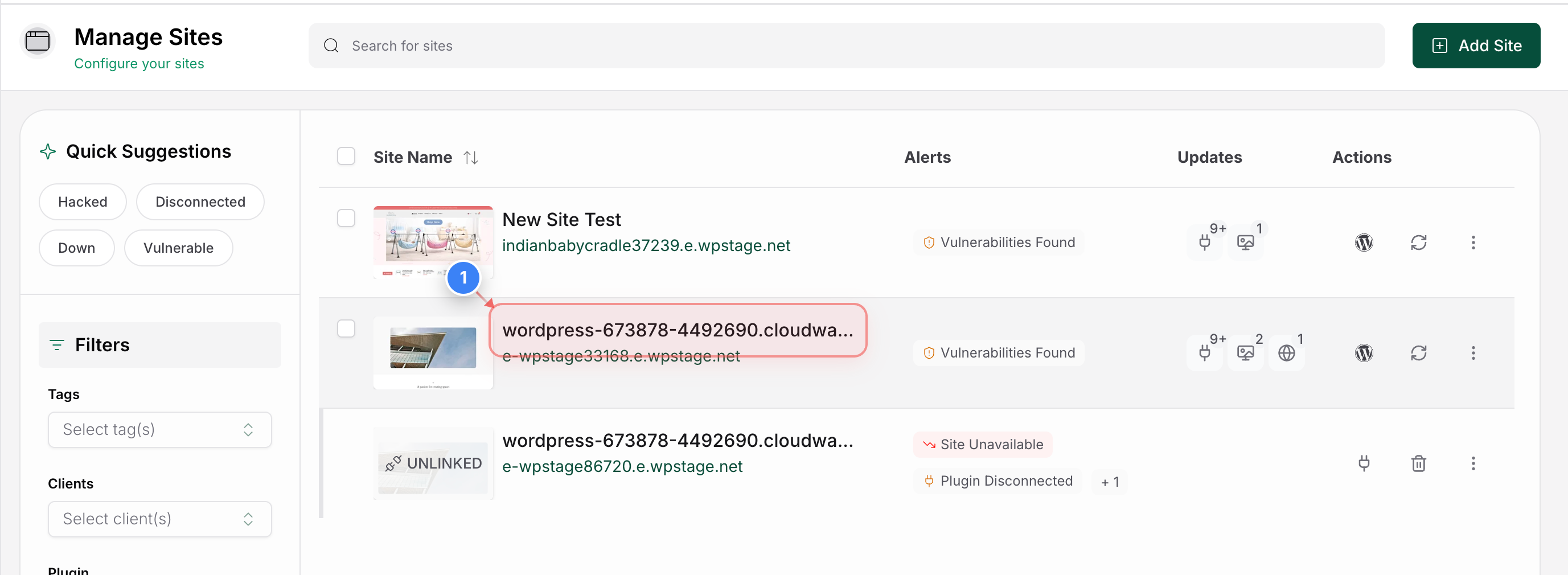
Open Site Details Page
Click on the site from the Site Listing page to open its management dashboard and view the Vulnerability Shield details for that site.
Step 1 screenshot
Step 2 of 3
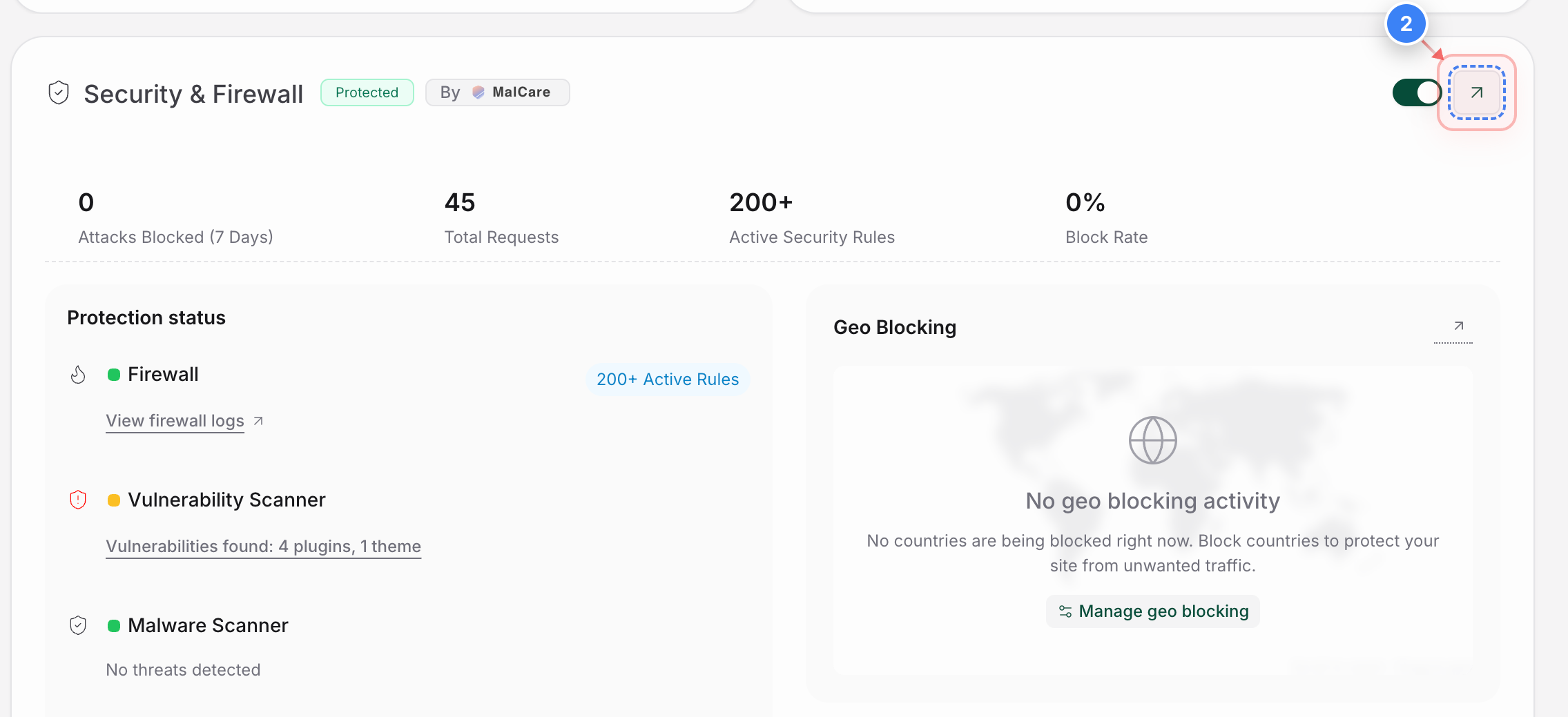
Open Security Details
Click the Security & Firewall section on the Site Details page to view your site's security protections and firewall details.
Step 2 screenshot
Step 3 of 3
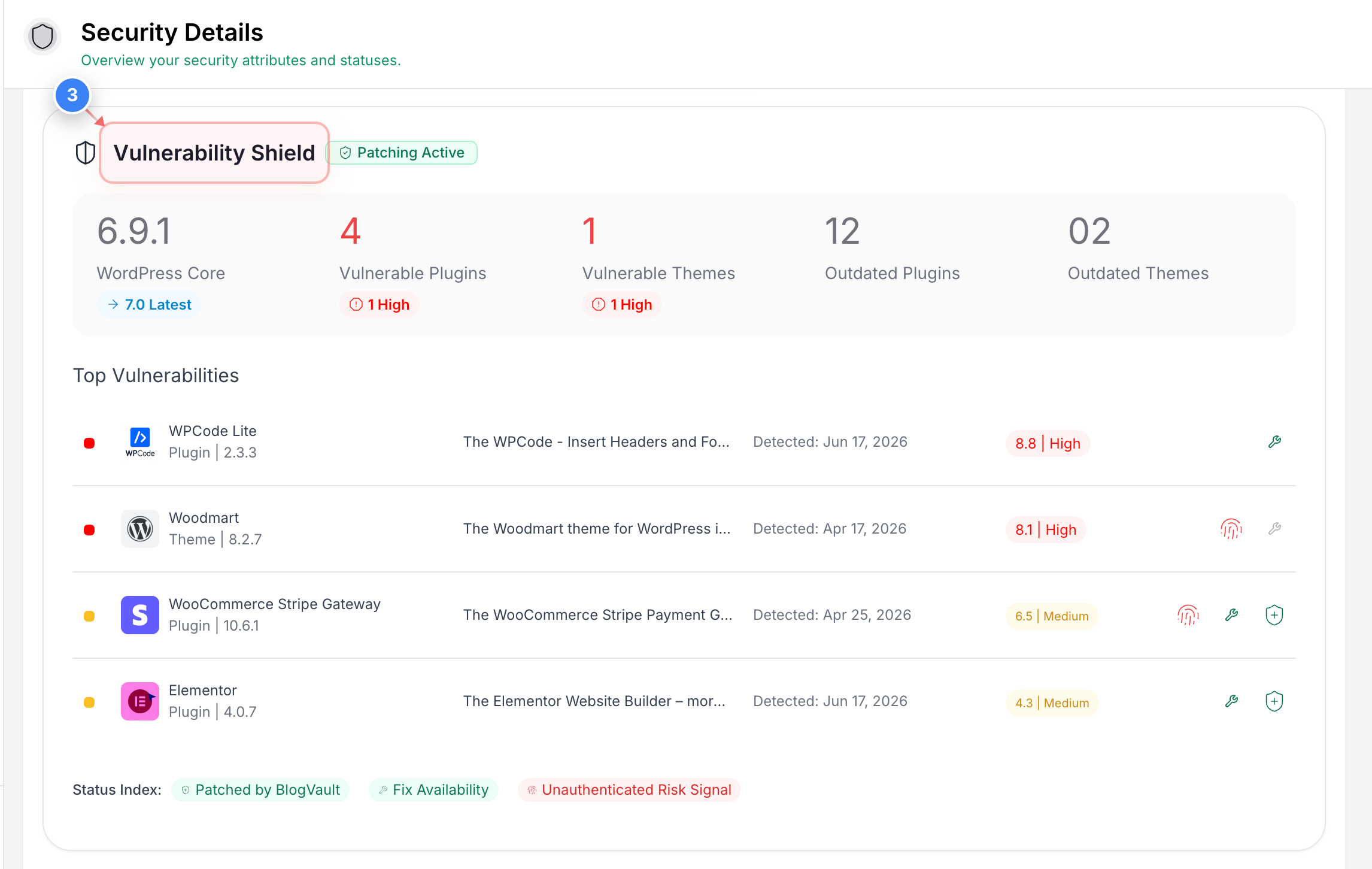
View Vulnerability Shield
Here you can review the Vulnerability Shield status for your site, including active vulnerability protection and any security patches currently being applied automatically.
Step 3 screenshot


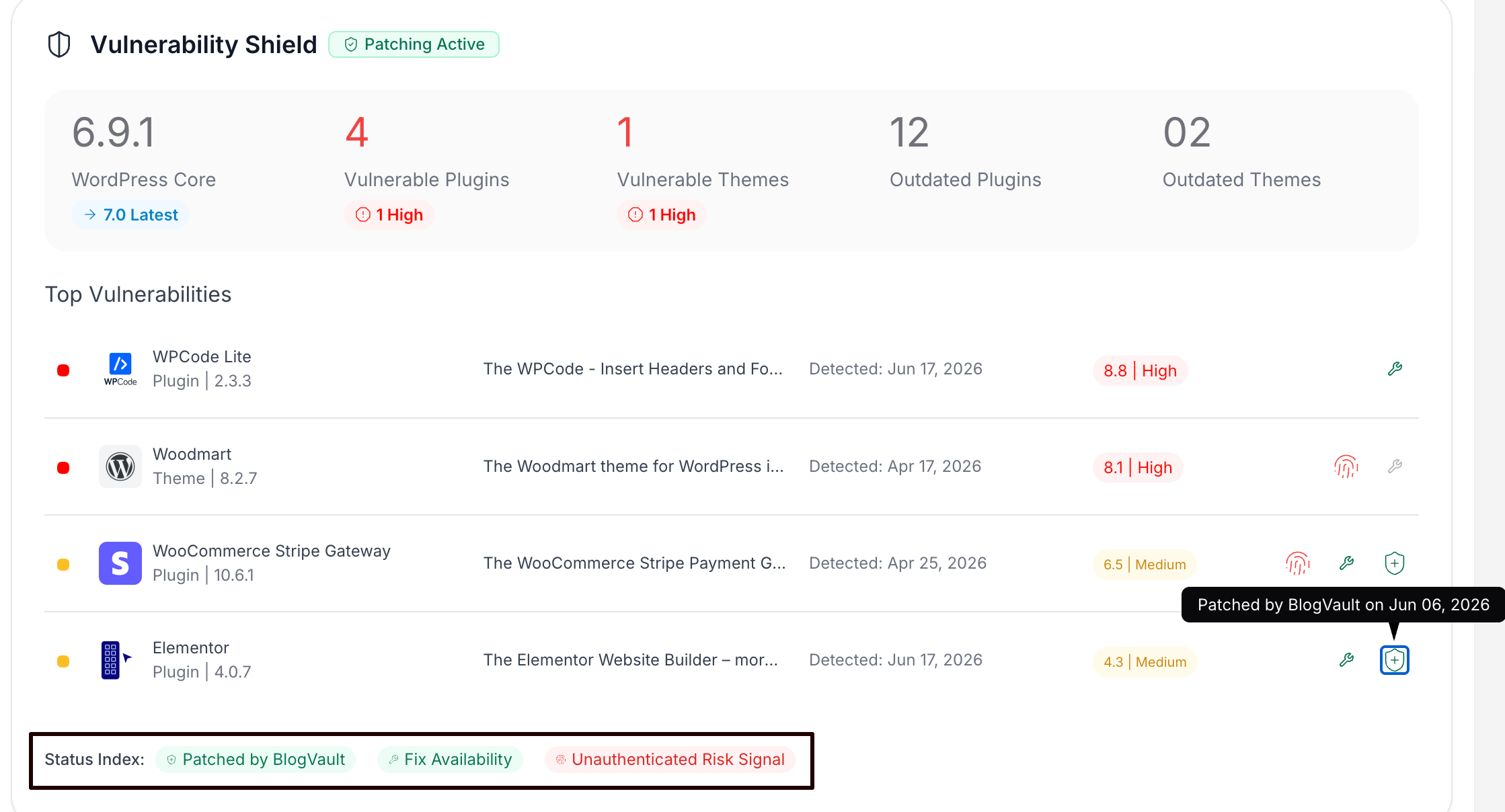
Additional Note: You can see the Status IndexPatched by BlogVault, FixAvailability, and Unauthenticated Risk Signal to view the status there. Any vulnerabilities that have already been patched will have the patching status there.


Was this article helpful?

That’s Great!

Thank you for your feedback

Sorry! We couldn't be helpful

Thank you for your feedback

Let us know how can we improve this article!

Select at least one of the reasons

Feedback sent

We appreciate your effort and will try to fix the article