How to View the Vulnerabilities Identified on Your Website?

Created by Bharath K, Modified on Wed, 29 Jul at 11:44 AM by Bharath K

Step 1 of 4
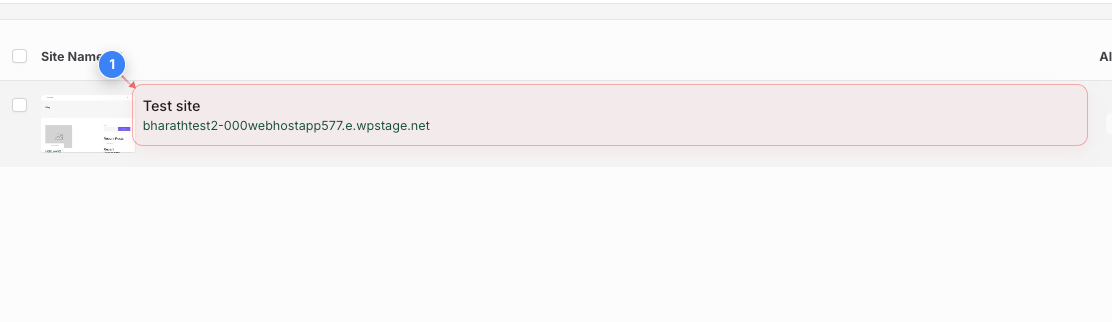
Select the Website
Click on the site name in the sites overview to open the management dashboard.
Step 1 screenshot
Step 2 of 4
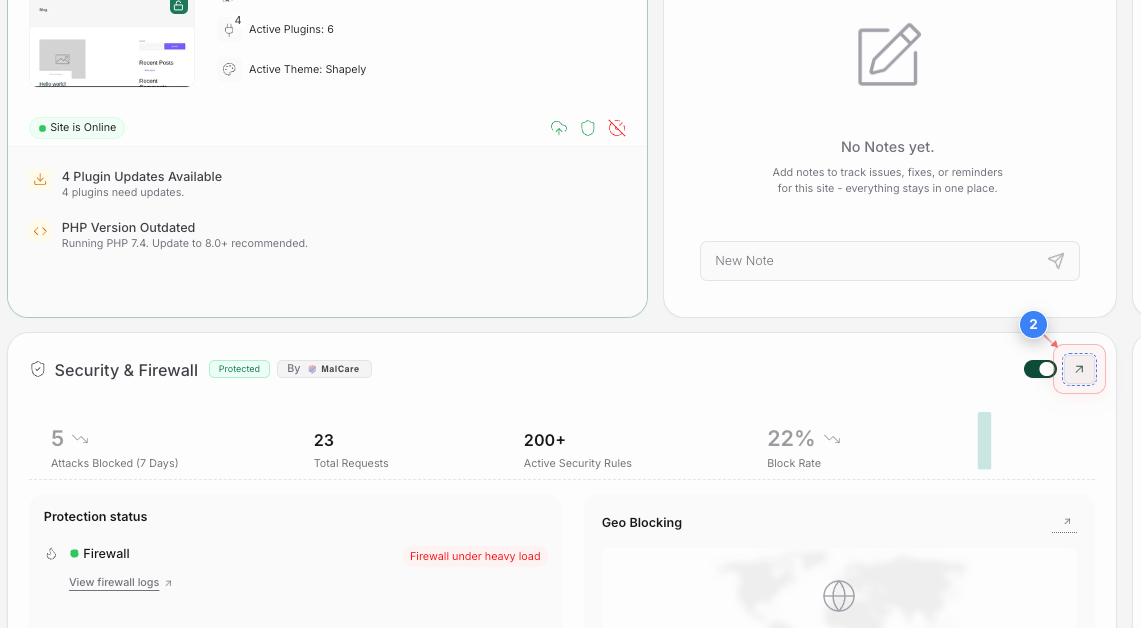
Open Security Settings
Click the Security & Firewall section to view protection status and security details.
Step 2 screenshot
Step 3 of 4
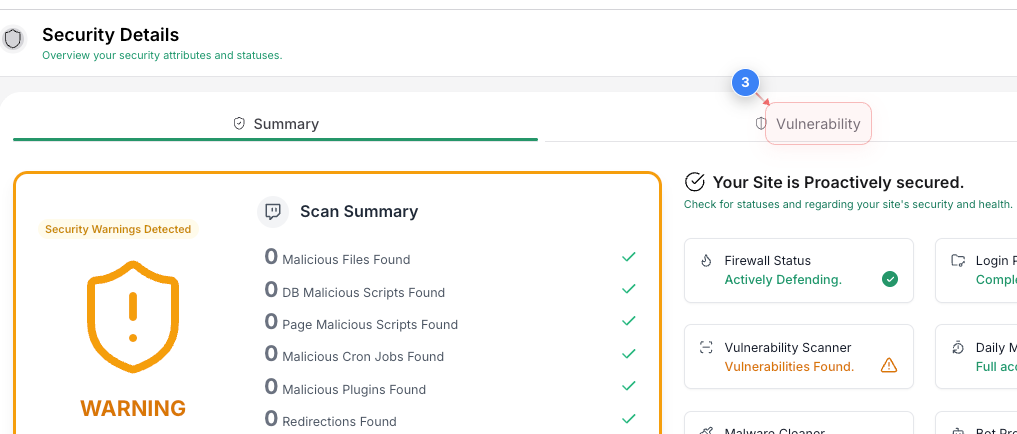
Navigate to Vulnerabilities
Click on the Vulnerability tab at the top of the security details page to check for security issues.
Step 3 screenshot
Step 4 of 4
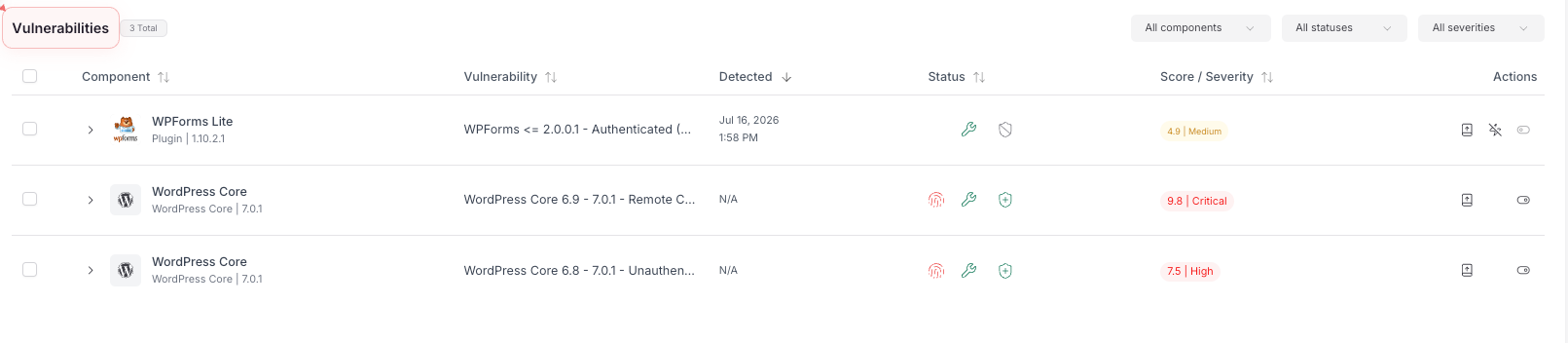
View Vulnerabilities List
Click on the Vulnerabilities section to review the total count and filter components.
Step 4 screenshot

Was this article helpful?

That’s Great!

Thank you for your feedback

Sorry! We couldn't be helpful

Thank you for your feedback

Let us know how can we improve this article!

Select at least one of the reasons

Feedback sent

We appreciate your effort and will try to fix the article