How to Check if a Vulnerability Is Patched?

Created by Bharath K, Modified on Wed, 29 Jul at 11:57 AM by Bharath K

Step 1 of 5
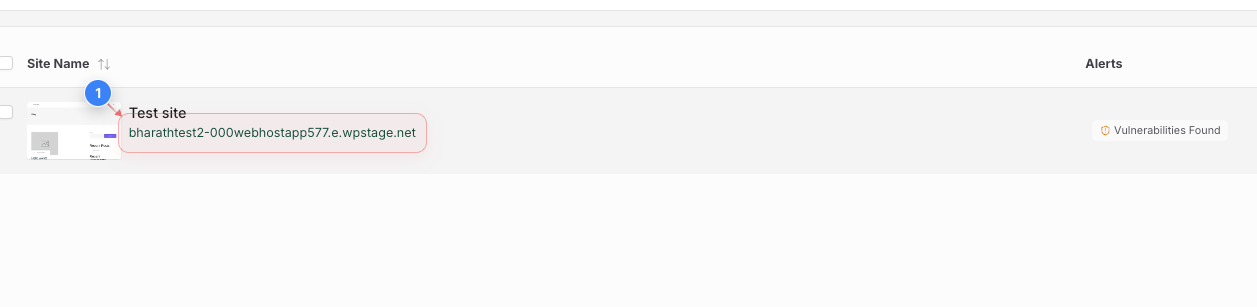
Select your site
Click on your site to open site management options
Step 1 screenshot
Step 2 of 5
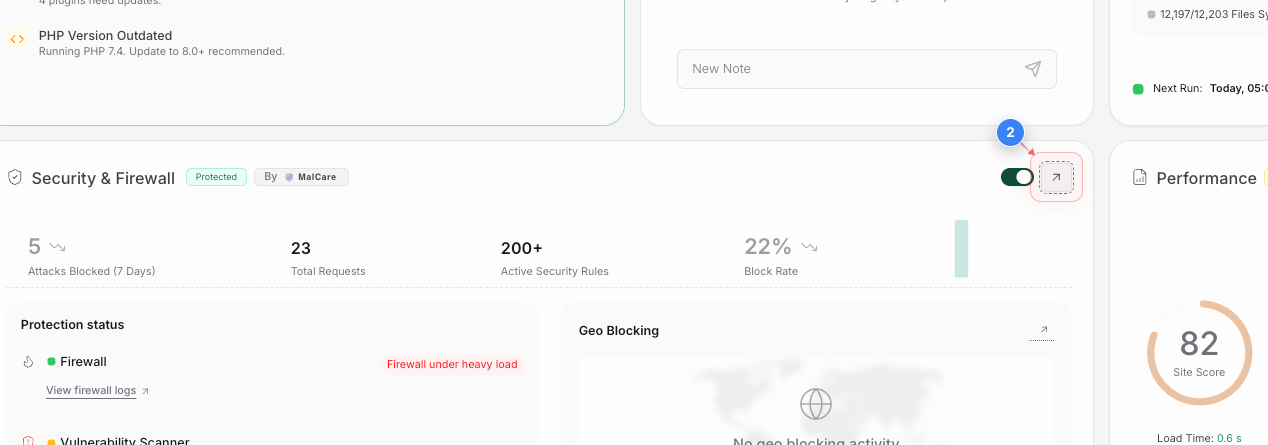
Open security details
Click on the arrow in the security area to view security and firewall protection details
Step 2 screenshot
Step 3 of 5
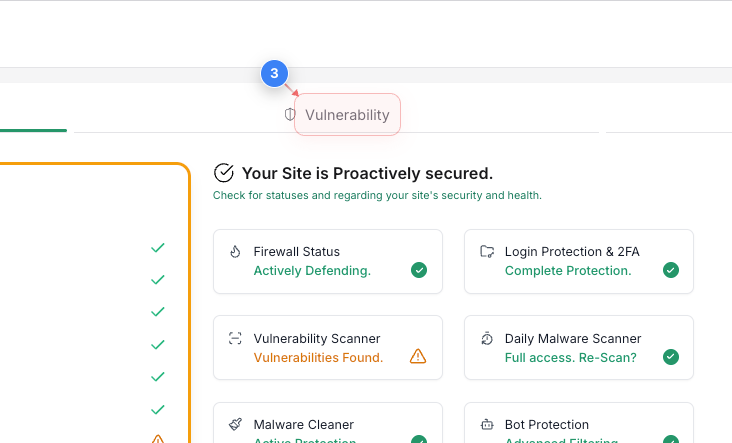
Navigate to vulnerability tab
Click on the Vulnerability tab in the upper area to check for detected component vulnerabilities
Step 3 screenshot
Step 4 of 5
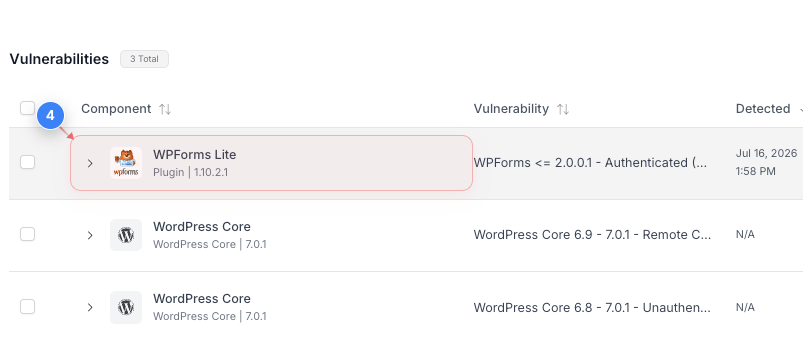
View vulnerability details
Click on the Plugin, Theme or WordPress core entry in the middle area to view specific vulnerability information
Step 4 screenshot
Step 5 of 5
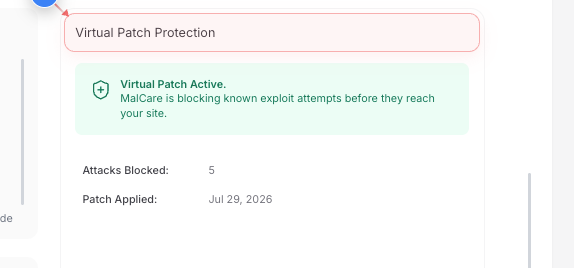
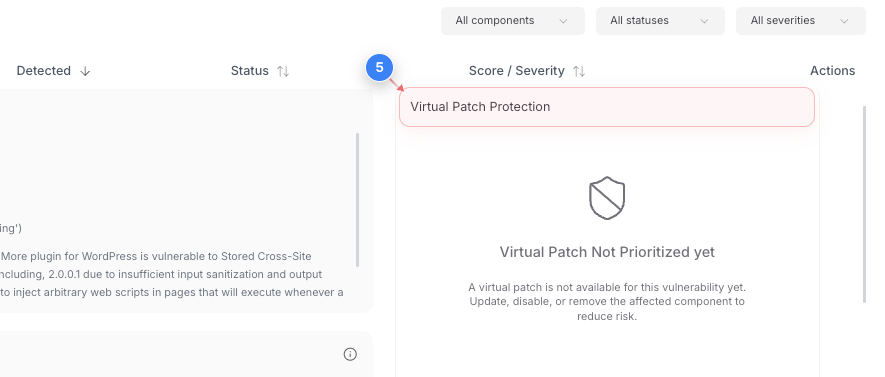
Check virtual patch protection
Check the Virtual Patch Protection section in the middle right area to review the Virtual Patching status along with the number of attacks blocked and the date when the patch was applied.


If patching is not available, you'll see the message: "Virtual Patch Not Prioritized Yet."

Step 5 screenshot


Was this article helpful?

That’s Great!

Thank you for your feedback

Sorry! We couldn't be helpful

Thank you for your feedback

Let us know how can we improve this article!

Select at least one of the reasons

Feedback sent

We appreciate your effort and will try to fix the article