
How Do I See Hacked Files Before Running a Cleanup?

Created by Sachin B, Modified on Thu, 11 Dec at 1:43 PM by Sachin B

Step 1 of 5
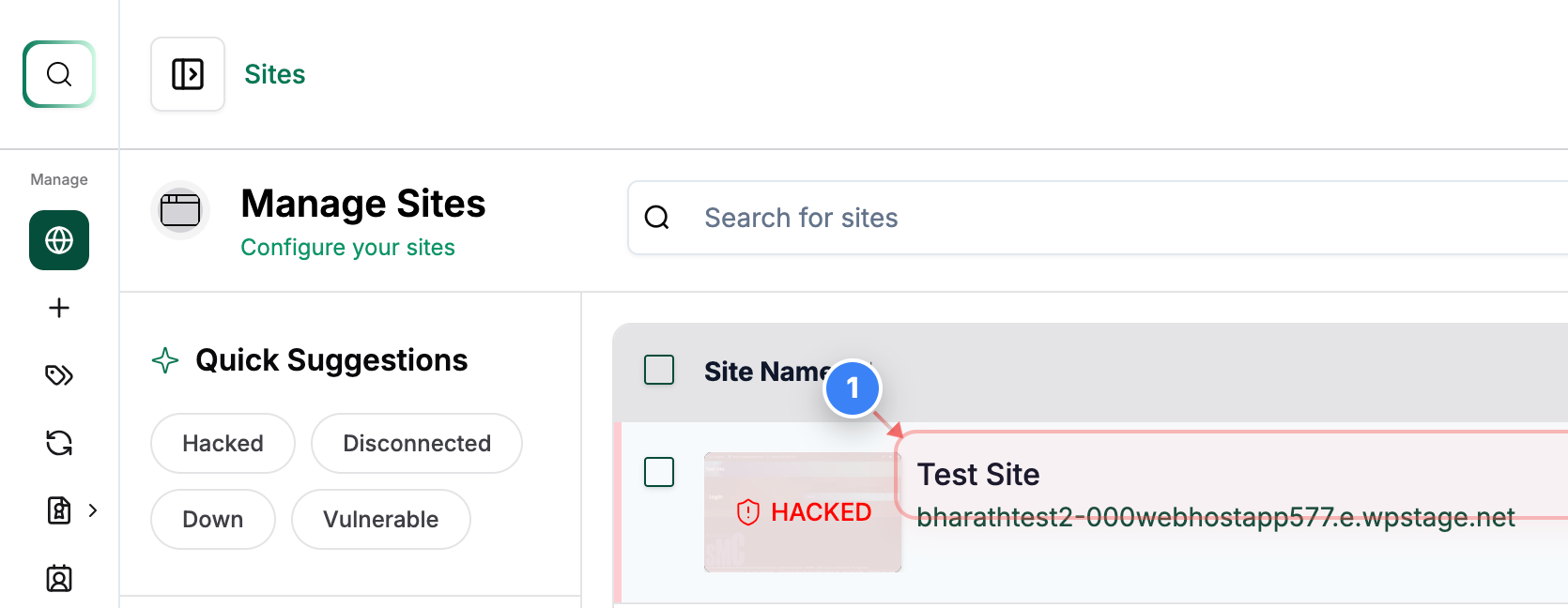
Open the Site Dashboard
Click on the Site (Showing Hacked Status) in the Sites list to open its management dashboard and access security tools.
Note: Use this to view all tools and status panels for the selected site.
Step 1 screenshot
Step 2 of 5
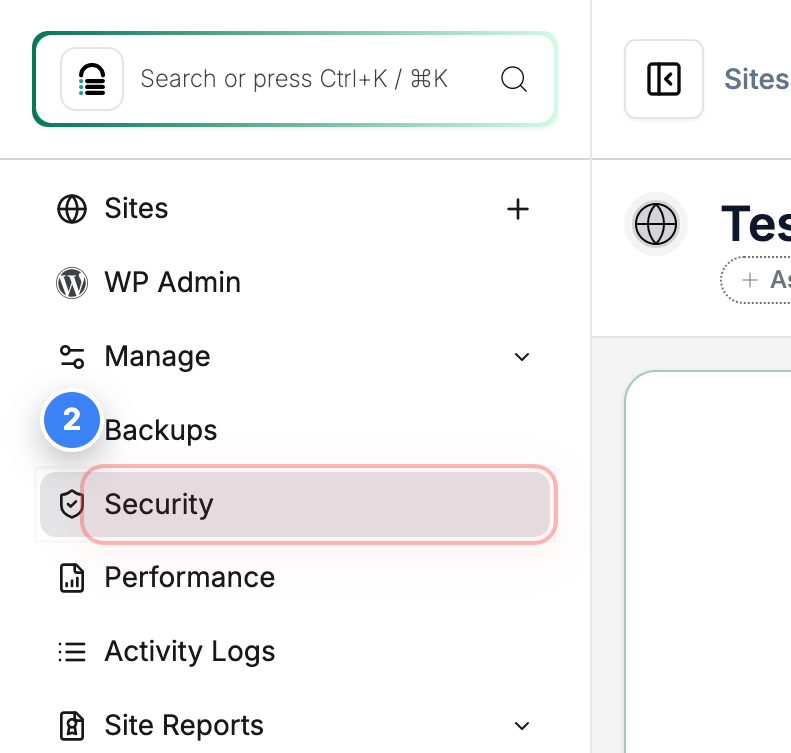
Go to Security Section
Click the Security option in the left sidebar to view malware scan results and available cleanup actions.
Note: This section shows recent scans, active alerts, and recommended actions.
Step 2 screenshot
Step 3 of 5
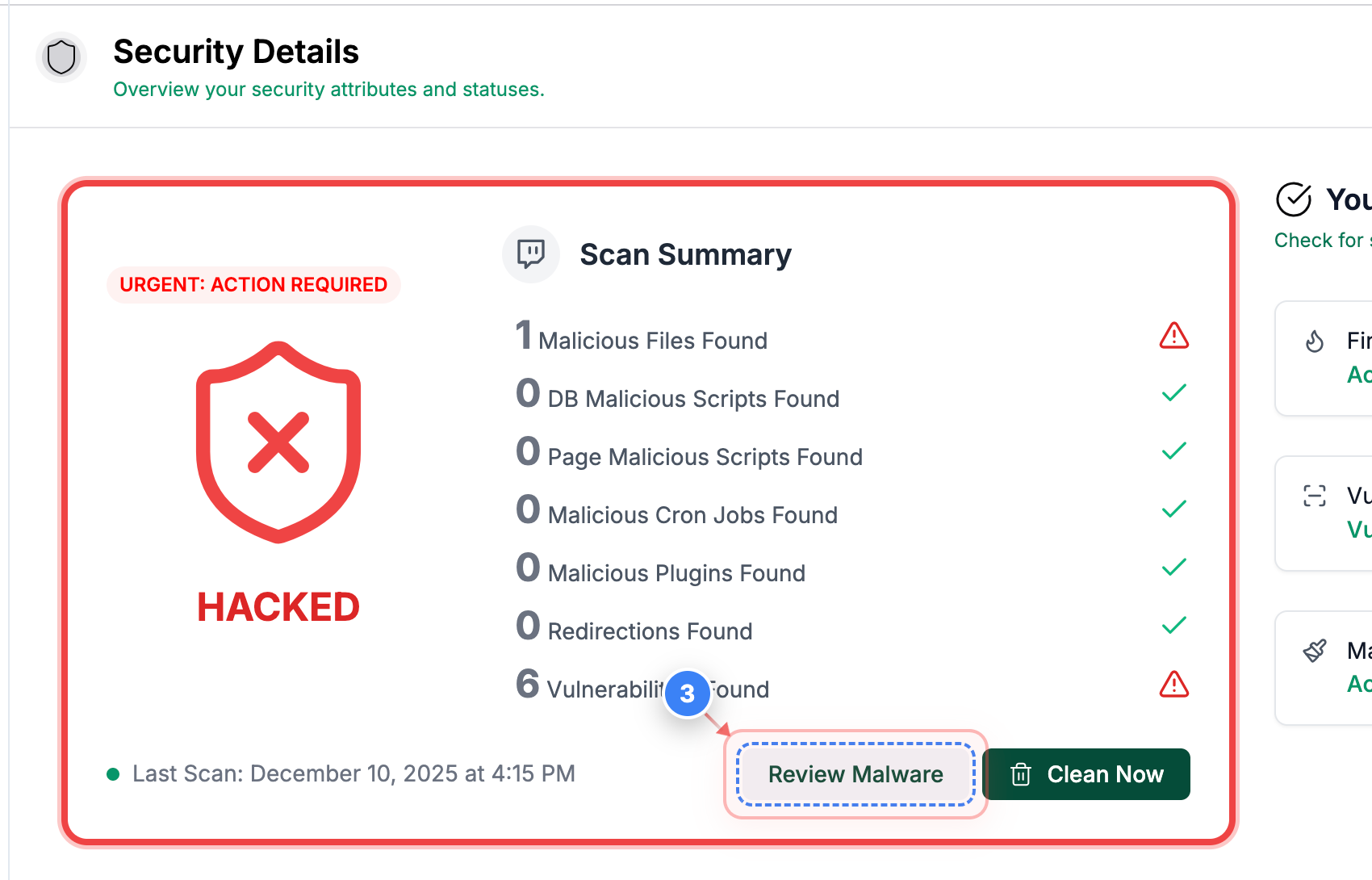
Review Malware Findings
Click the Review Malware button in the Security overview to see detailed results of the malware scan.
Note: This opens a list of files flagged during the scan.
Step 3 screenshot
Step 4 of 5
Open File Details
Click the View button next to a flagged file to inspect its contents.
Step 4 screenshot
Step 5 of 5
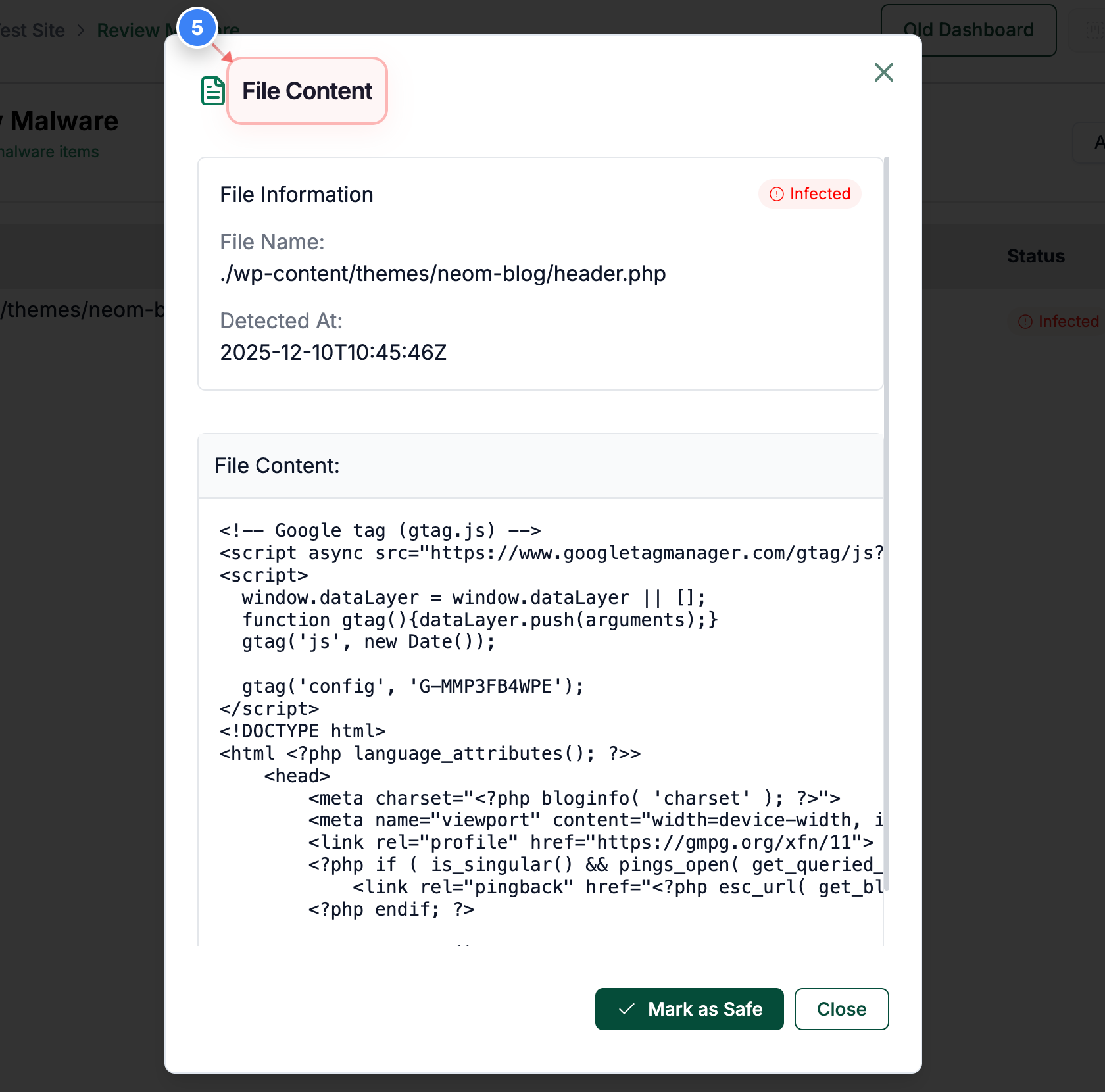
View File Content
Click the File Content option in the file detail modal to see the full code of the detected file.
Note: Helpful for confirming injected code, anomalies, or unauthorised modifications.
Step 5 screenshot

Was this article helpful?

That’s Great!

Thank you for your feedback

Sorry! We couldn't be helpful

Thank you for your feedback

Let us know how can we improve this article!

Select at least one of the reasons

Feedback sent

We appreciate your effort and will try to fix the article