How Do I Perform an On-Demand Scan?

Created by Sachin B, Modified on Thu, 11 Dec at 1:33 PM by Sachin B

Step 1 of 3
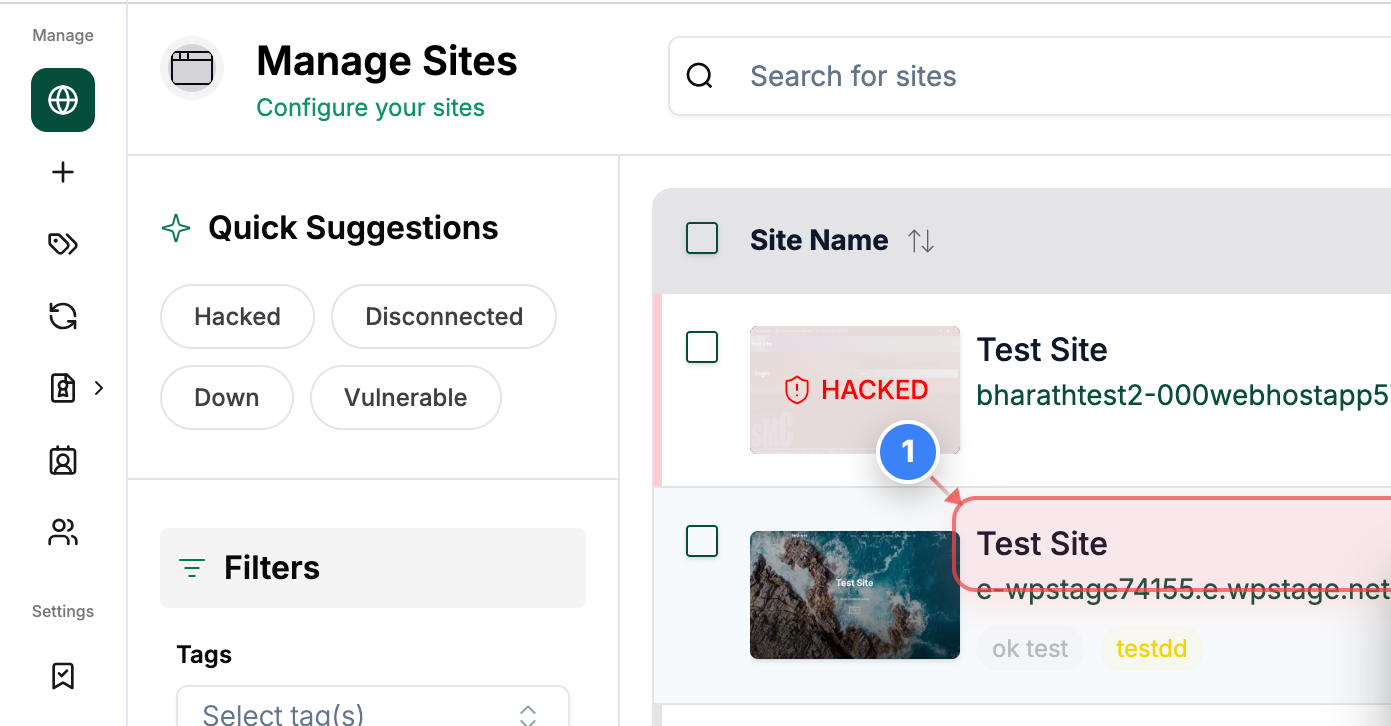
Open Your Site Dashboard
Click on your site name in the Sites page to open its management dashboard.
Note: This takes you to the site-specific control panel where security and backup tools are available.
Step 1 screenshot
Step 2 of 3
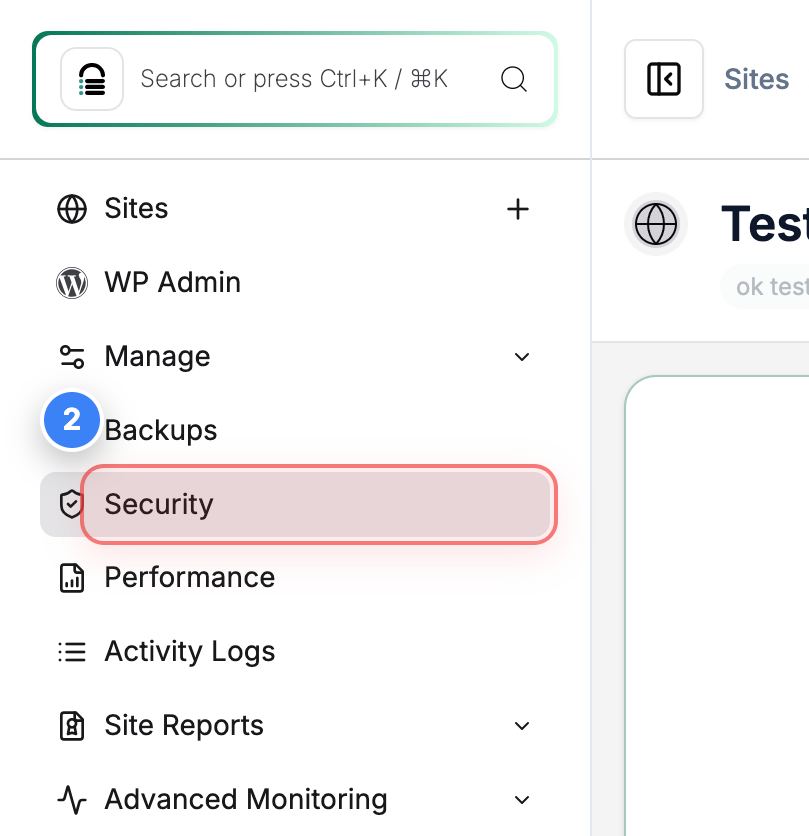
Access Security Tools
Click the Security option in the left sidebar to open the security overview and tools for your site.
Note: This area includes malware scans, firewall options, and security status.
Step 2 screenshot
Step 3 of 3
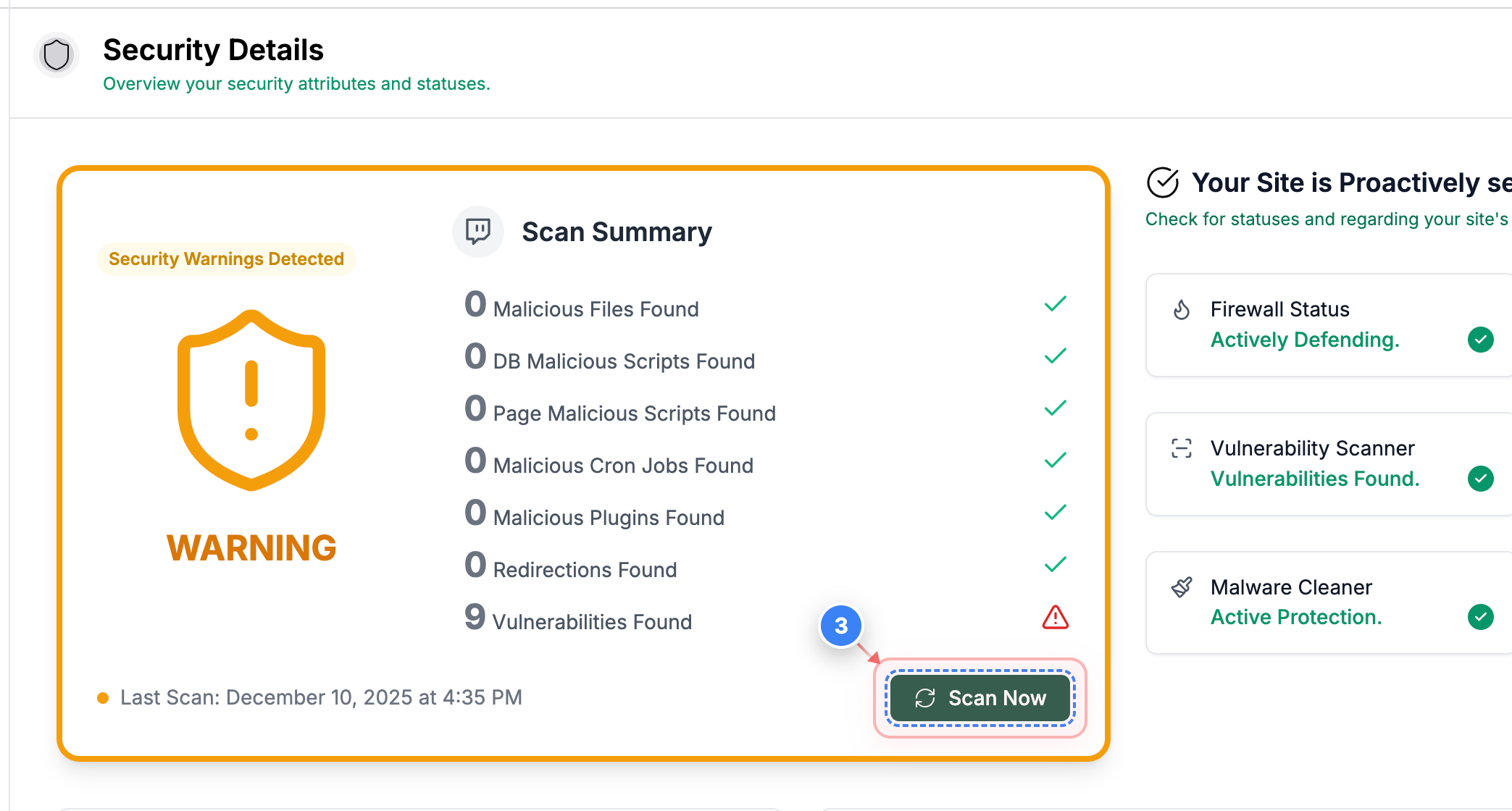
Start a Security Scan
Click the Scan Now button in the Security page to begin an immediate malware and threat scan of your site.
Note: Running a fresh scan helps identify any new threats since the last automated scan.
Step 3 screenshot

Was this article helpful?

That’s Great!

Thank you for your feedback

Sorry! We couldn't be helpful

Thank you for your feedback

Let us know how can we improve this article!

Select at least one of the reasons

Feedback sent

We appreciate your effort and will try to fix the article