How can I update the reference image/threshold for a monitored page?

Created by Kousik M, Modified on Tue, 11 Aug at 2:12 AM by Kousik M

Step 1 of 6
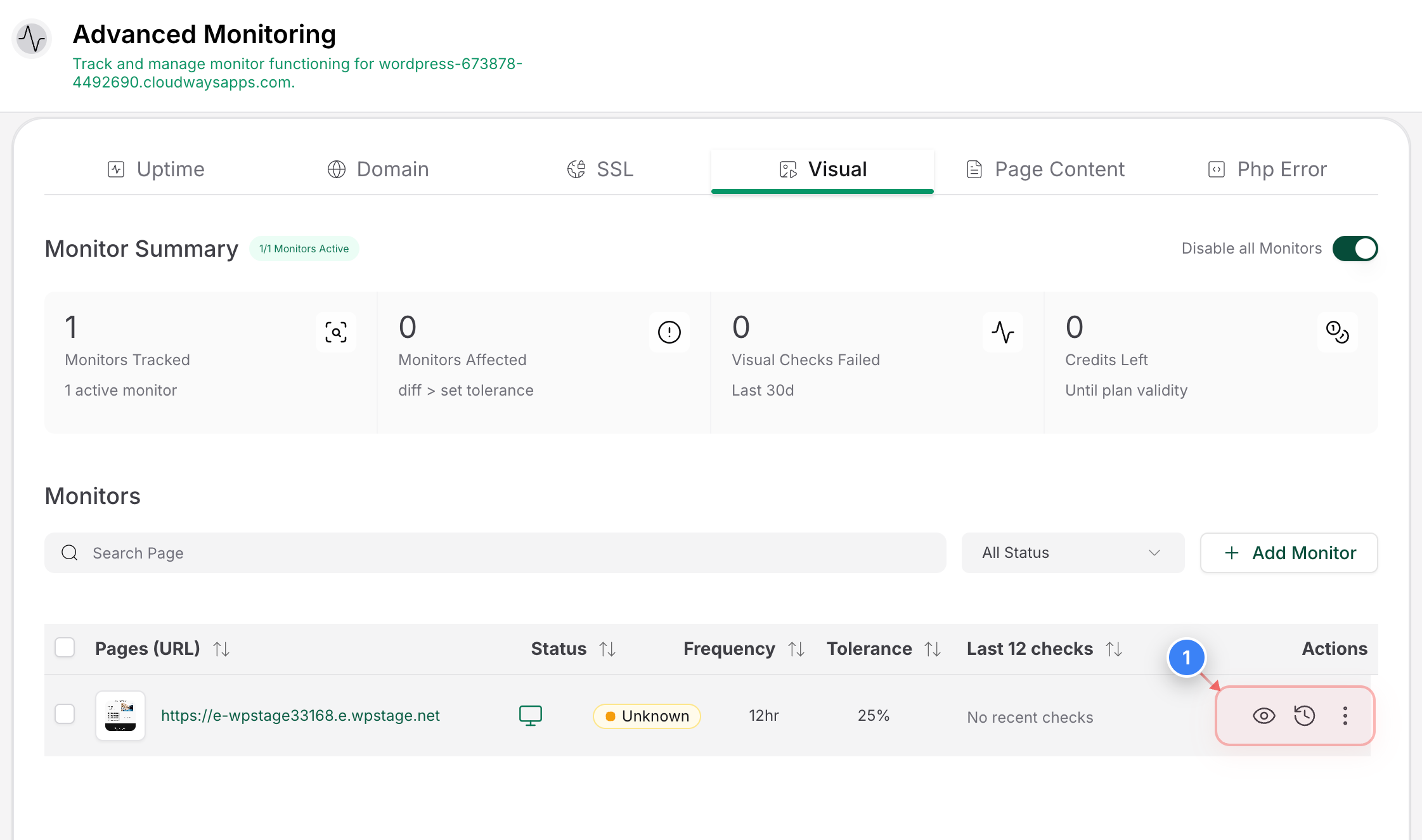
Navigate to Visual Monitoring
Click on the dropdown menu in the Visual Monitoring section for the monitor you want to update


Step 2 of 6
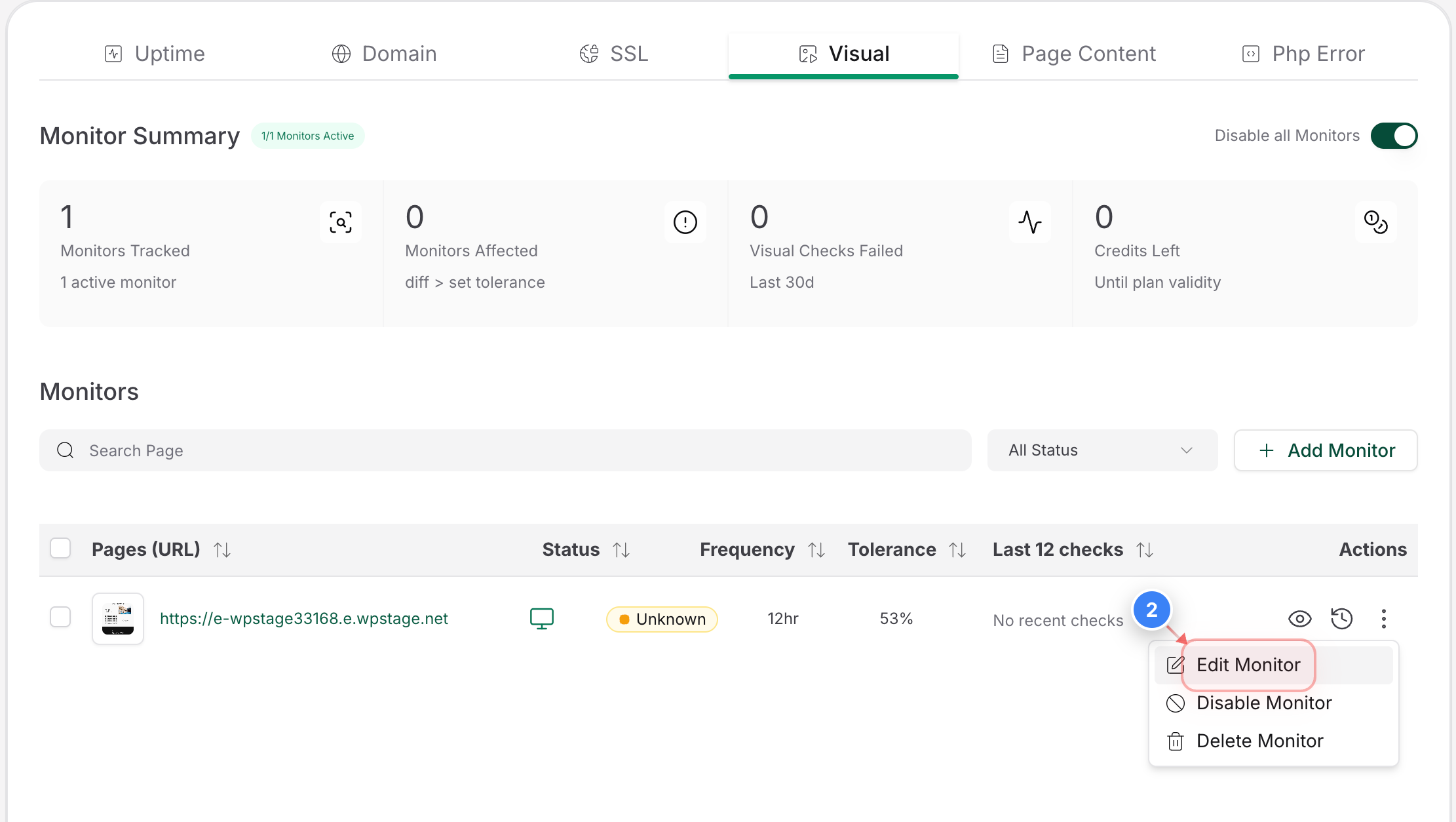
Edit Visual Monitor
Click Edit Monitor in the lower-right menu to open the settings for the existing visual monitor


Step 2 screenshot
Step 3 of 6
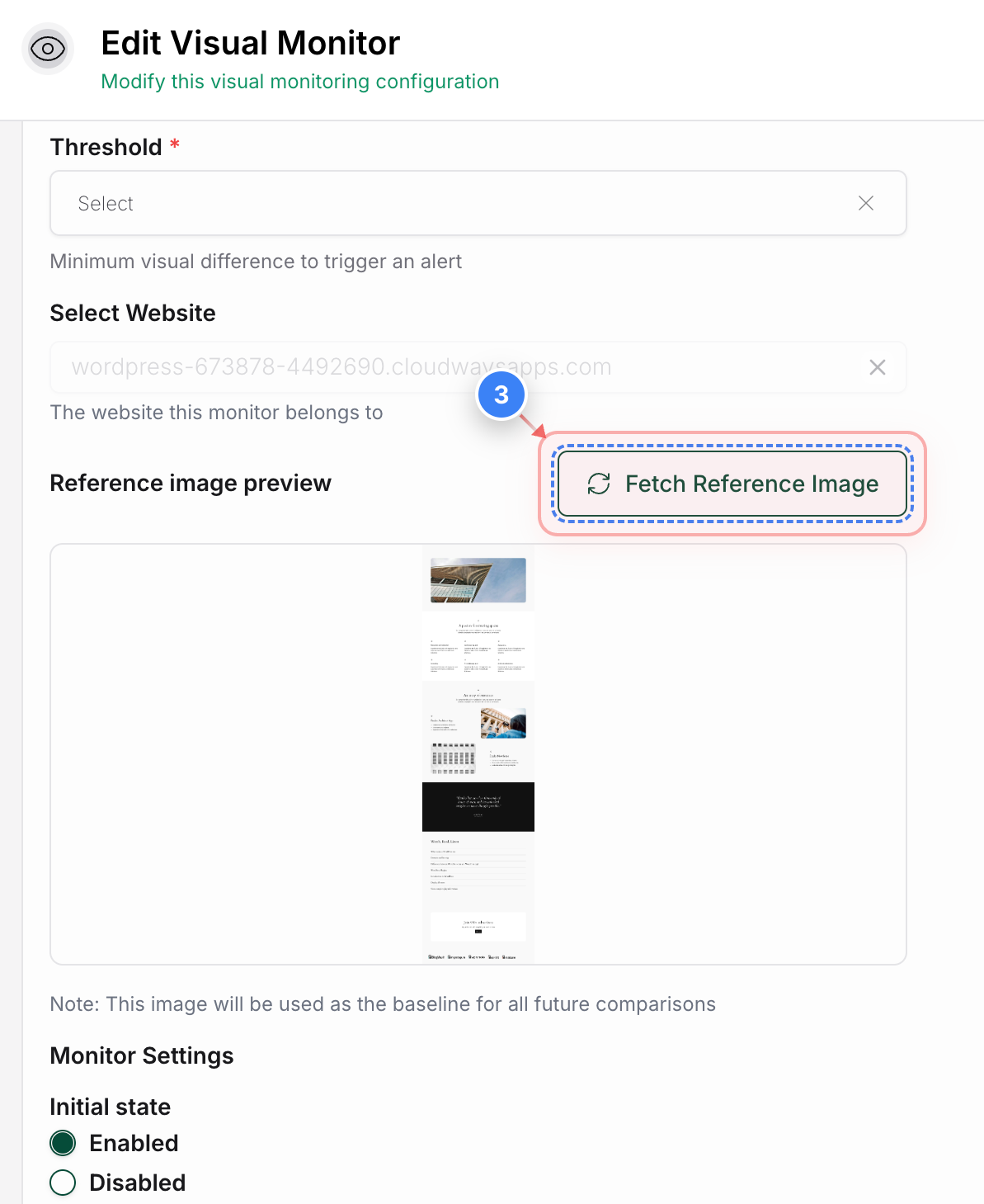
Refresh Reference Image
Click the Fetch Reference Image button to update the reference image used for future visual comparisons
Note: The fetched image becomes the reference for future comparisons.
Step 3 screenshot
Step 4 of 6
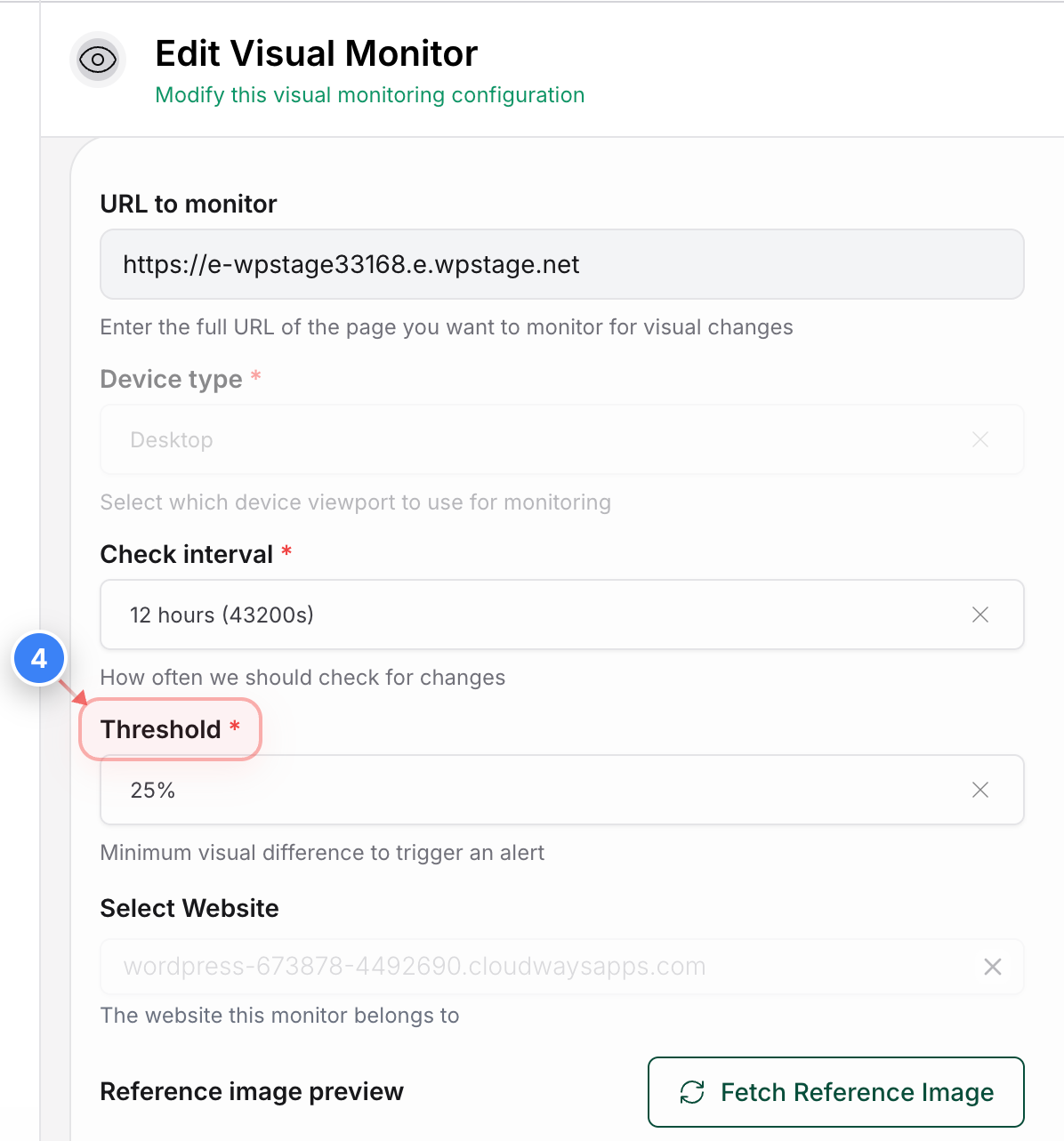
Update Threshold 
Click on the Update Threshold section to update the threshold for the visual monitor

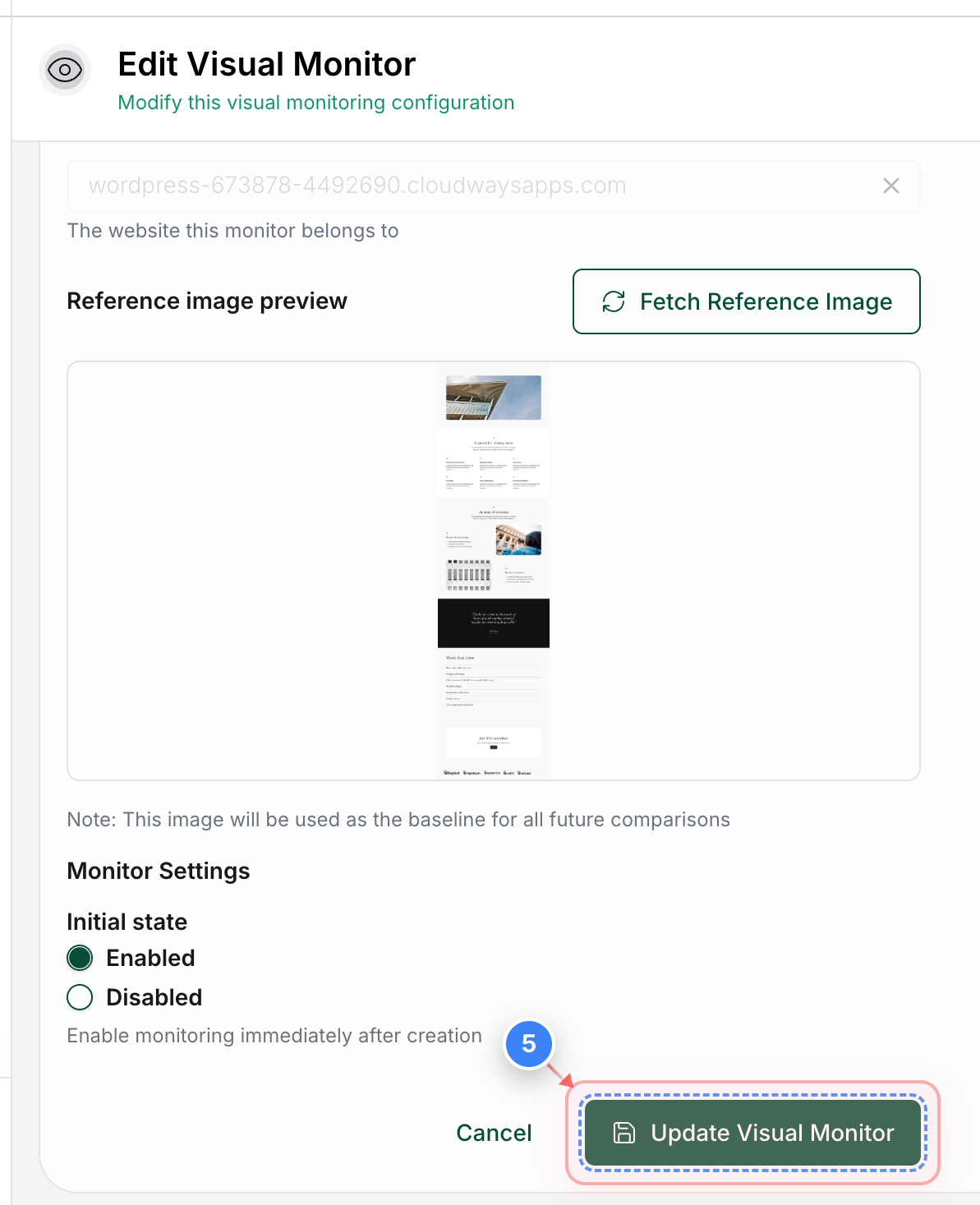
Step 5 of 6
Save Monitor Changes
Click the Update Visual Monitor button to save the updated visual monitor settings

Step 5 screenshot
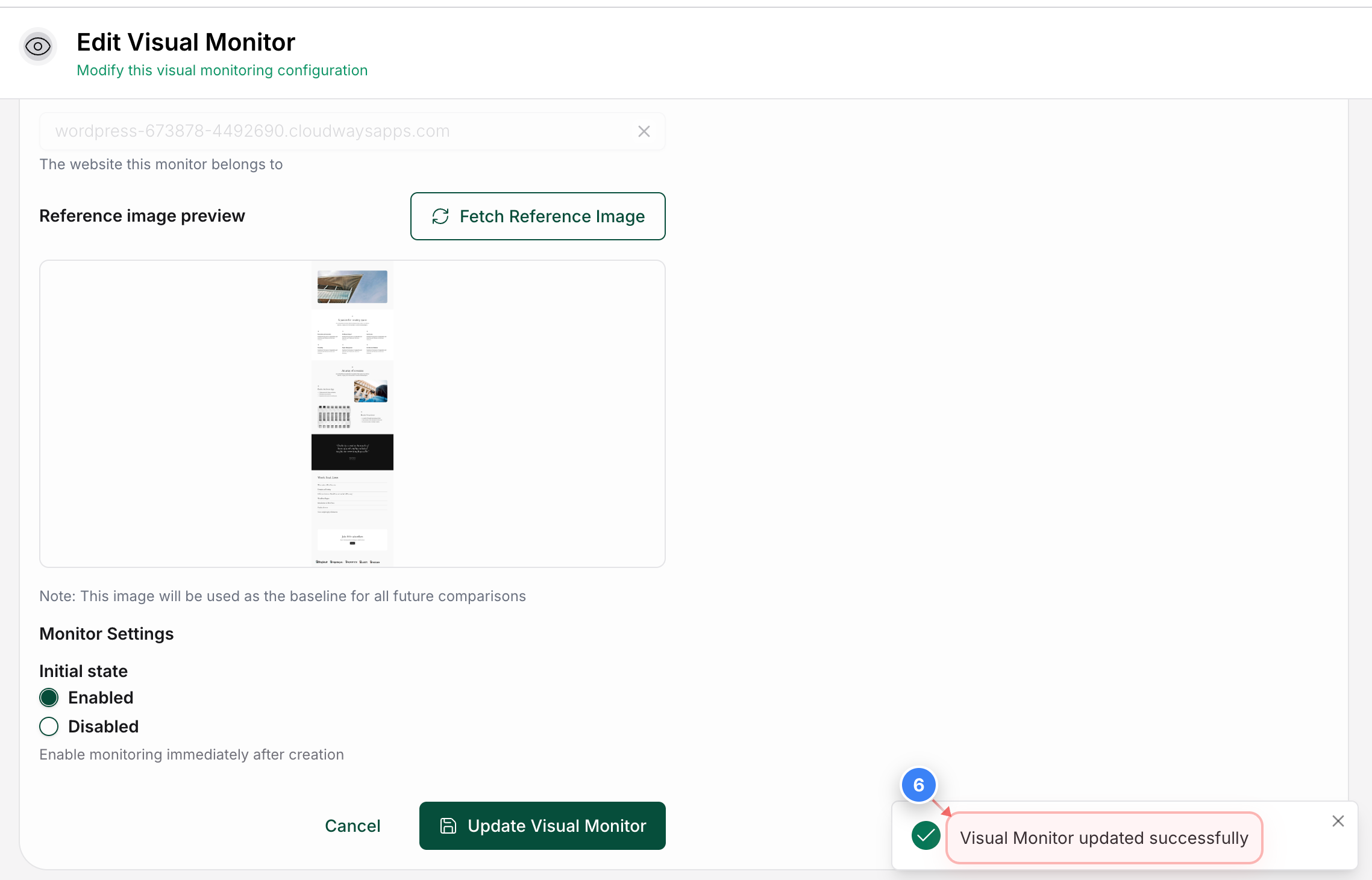
Step 6 of 6
Confirm Monitor Update
Confirm that the “Visual Monitor updated successfully” notification appears in the lower-right area

Step 6 screenshot

Was this article helpful?

That’s Great!

Thank you for your feedback

Sorry! We couldn't be helpful

Thank you for your feedback

Let us know how can we improve this article!

Select at least one of the reasons

Feedback sent

We appreciate your effort and will try to fix the article