What does the threshold for visual changes mean?

Created by Bharath K, Modified on Mon, 15 Dec at 12:01 PM by Bharath K

The threshold for visual changes is a sensitivity setting that determines how much a page must change visually before an alert is triggered. A lower threshold means even minor changes will trigger an alert, while a higher threshold requires more significant changes. You can adjust this in your monitoring settings to suit your needs by following these steps ->
Step 1 of 5
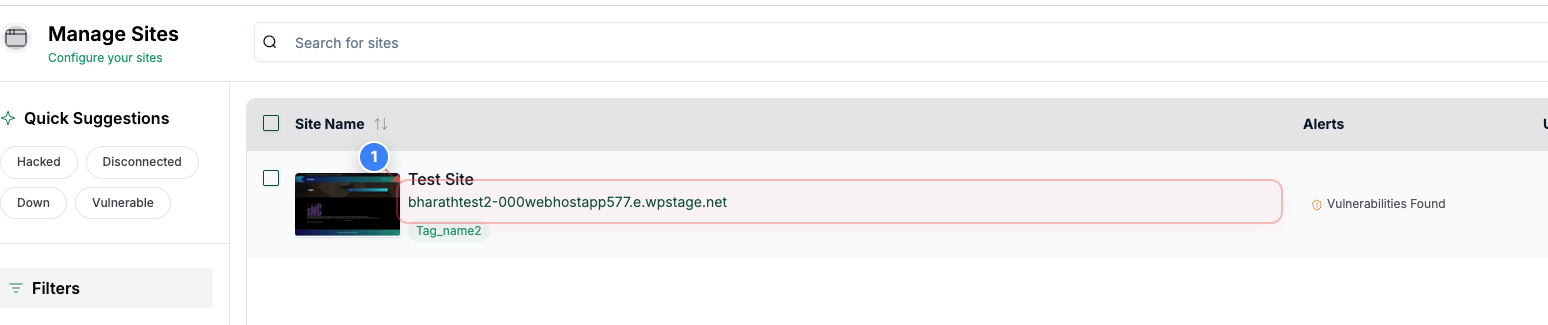
Open site dashboard
Click on your site name in the center of the Sites page to open its management dashboard.
Step 1 screenshot
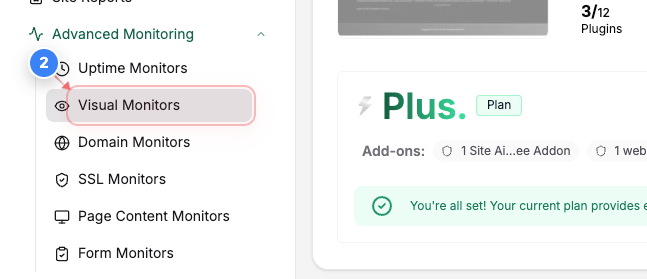
Step 2 of 5
Go to Visual Monitors
Go To Advanced Monitoring and Click Visual Monitors in the left sidebar to view and manage visual monitoring for this site.
Step 2 screenshot
Step 3 of 5
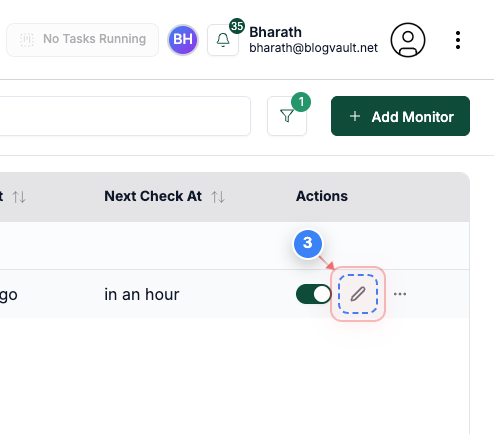
Edit a visual monitor
Click the edit option on the right side of the visual monitor row to open its configuration.
Note: Choose the monitor you want to update the Threshold
Step 3 screenshot
Step 4 of 5
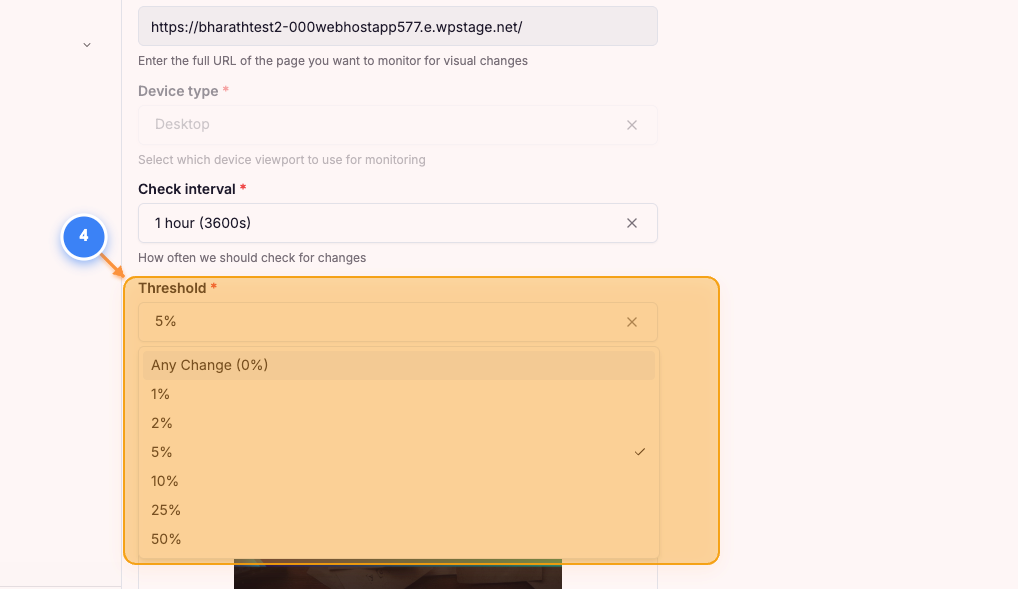
Update Threshold
Click into the Threshold Dropdown and select the Threshold required for your website
Step 4 screenshot
Step 5 of 5
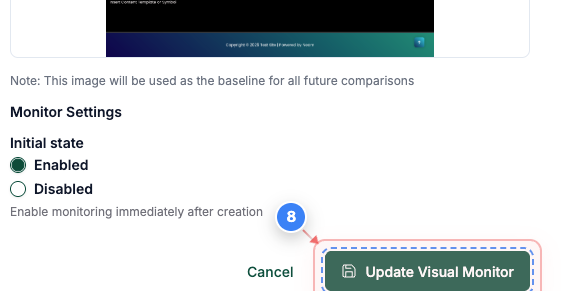
Save visual monitor changes
Click the Update Visual Monitor button at the bottom of the page to save your changes.
Note: Make sure all settings are correct before saving, as changes affect future monitoring results.
Step 5 screenshot

Was this article helpful?

That’s Great!

Thank you for your feedback

Sorry! We couldn't be helpful

Thank you for your feedback

Let us know how can we improve this article!

Select at least one of the reasons

Feedback sent

We appreciate your effort and will try to fix the article