How do I add a new page for visual monitoring?

Created by Kousik M, Modified on Tue, 11 Aug at 1:03 AM by Kousik M

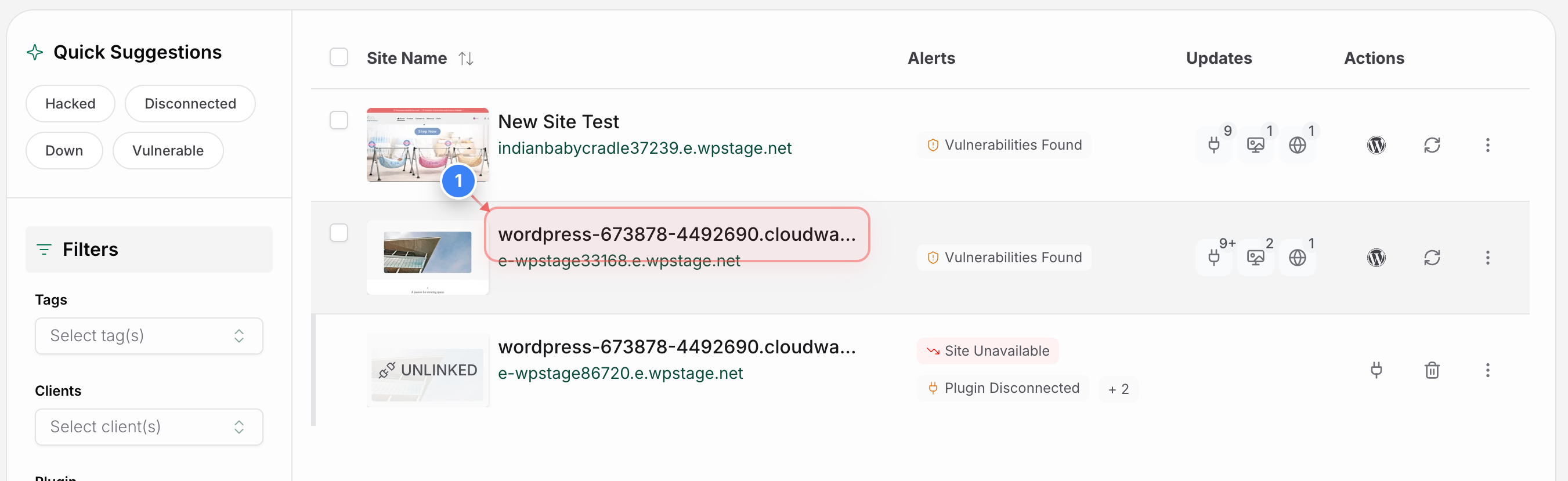
Step 1 of 11
Select Your Site
Select the site from the site listing page


Step 1 screenshot
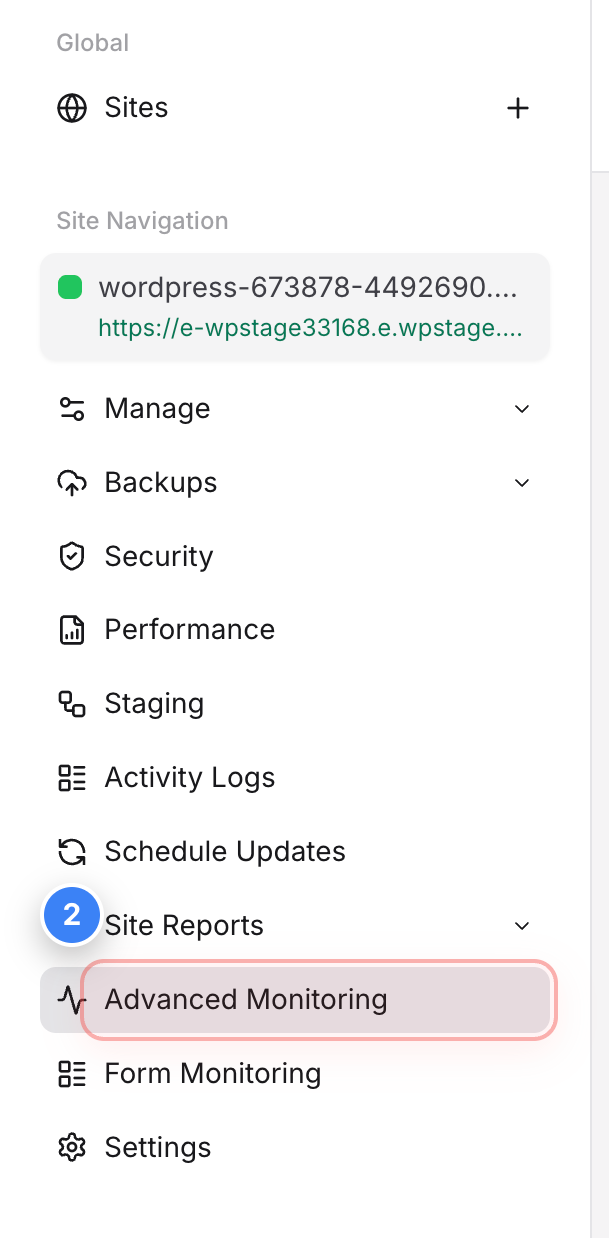
Step 2 of 11
Open Advanced Monitoring
Click Advanced Monitoring in the site management sidebar to access monitoring options

Step 2 screenshot
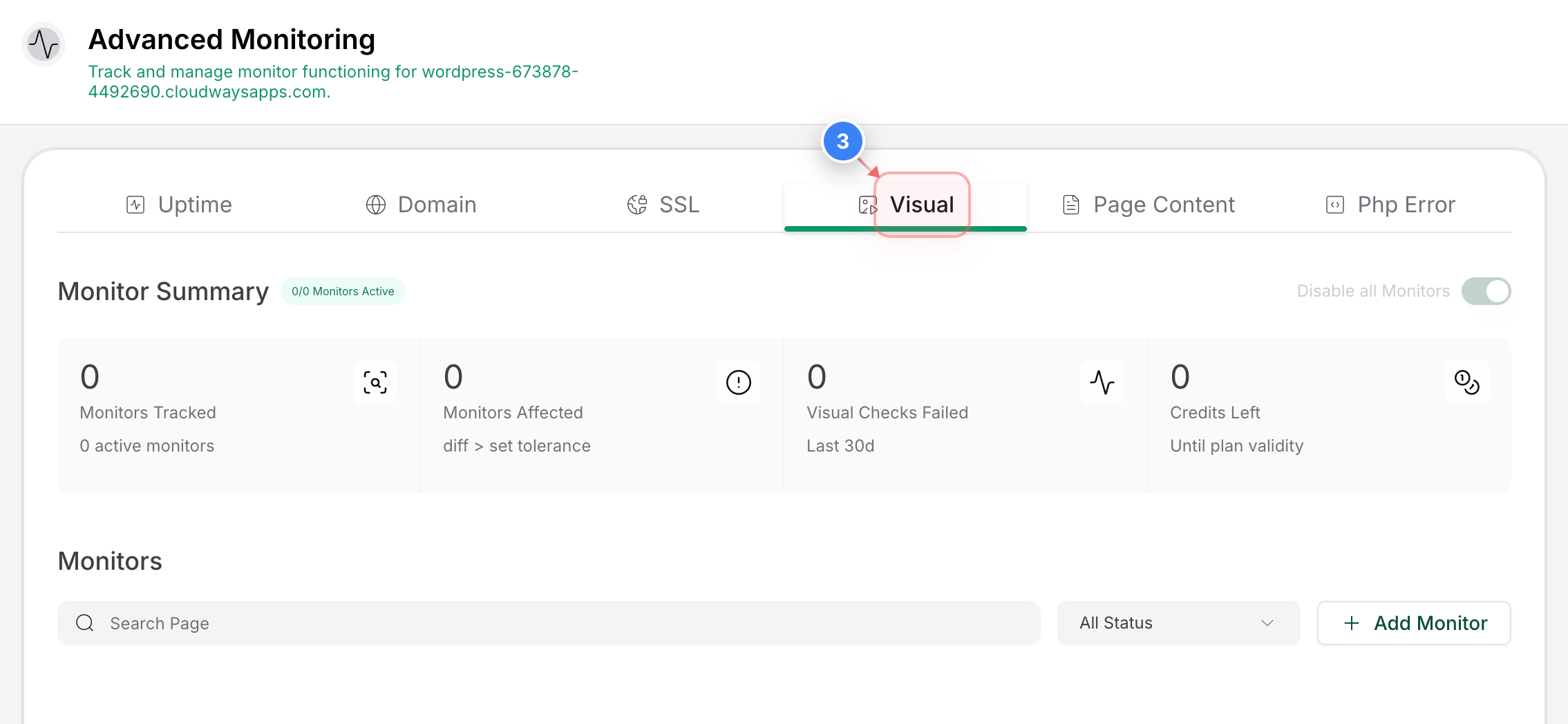
Step 3 of 11
Select Visual Monitoring
Click Visual in the Advanced Monitoring area to manage visual monitors for your site

Step 3 screenshot
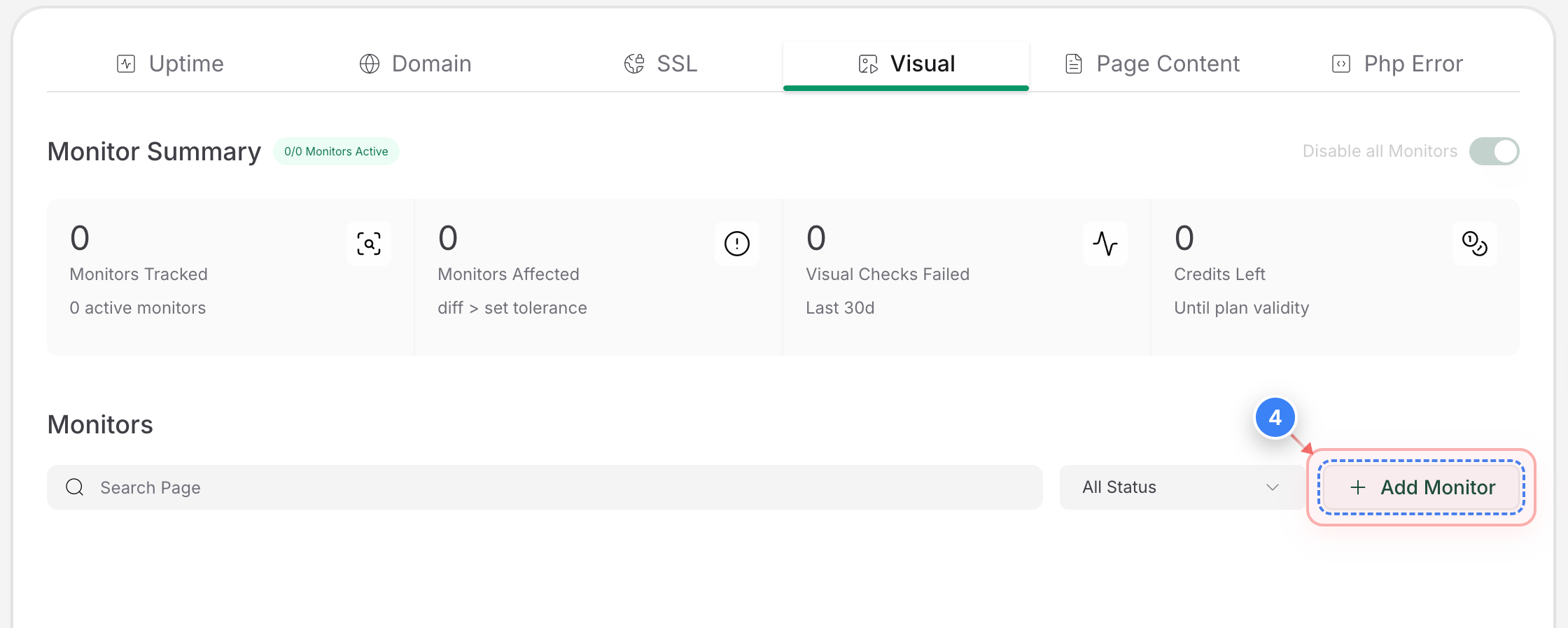
Step 4 of 11
Add a Visual Monitor
Click the Add Monitor button in the Monitors section to configure a new visual monitor

Step 4 screenshot
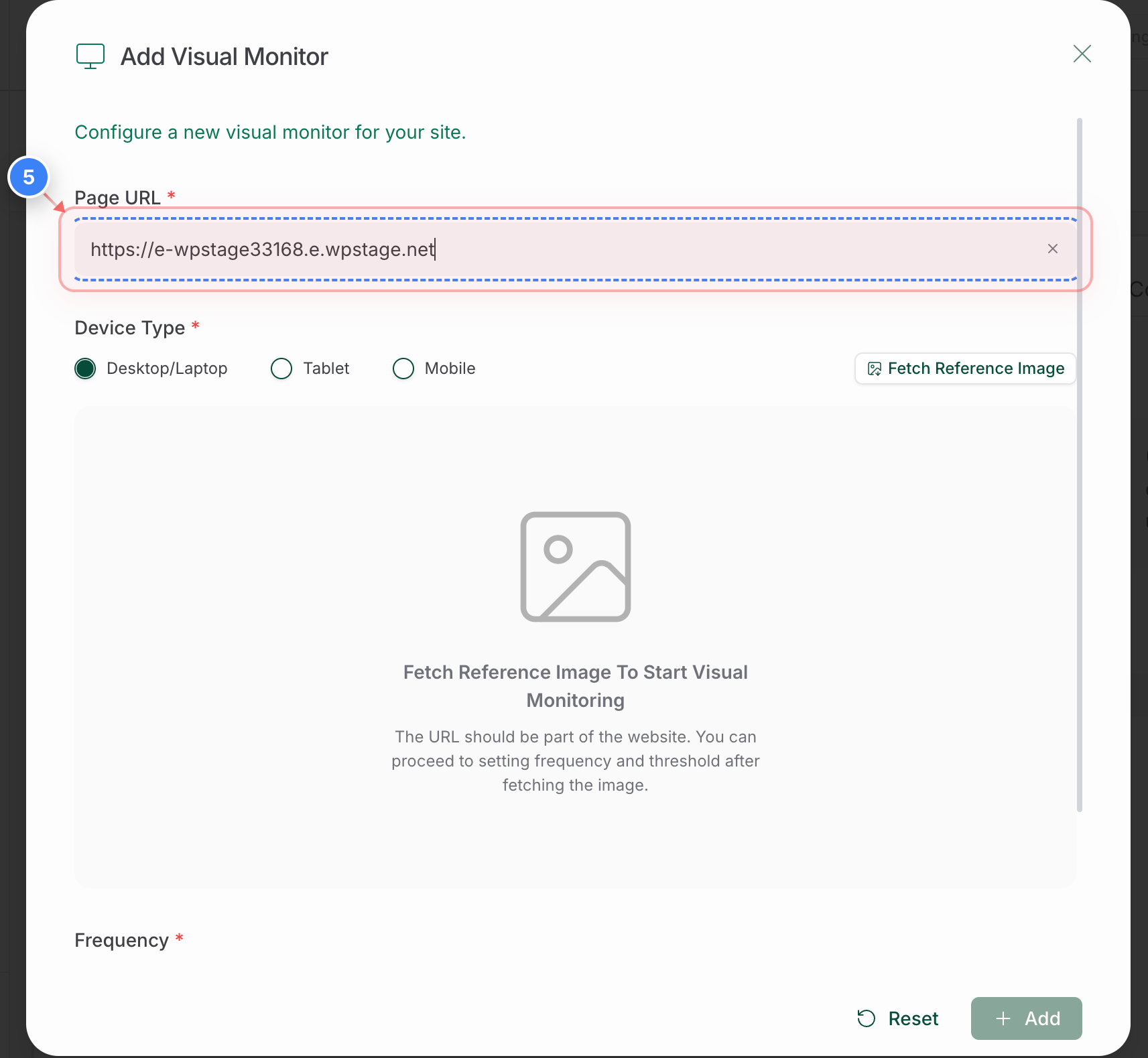
Step 5 of 11
Enter Page URL
Click the Page URL field and enter or select the page URL you want to monitor

Step 5 screenshot
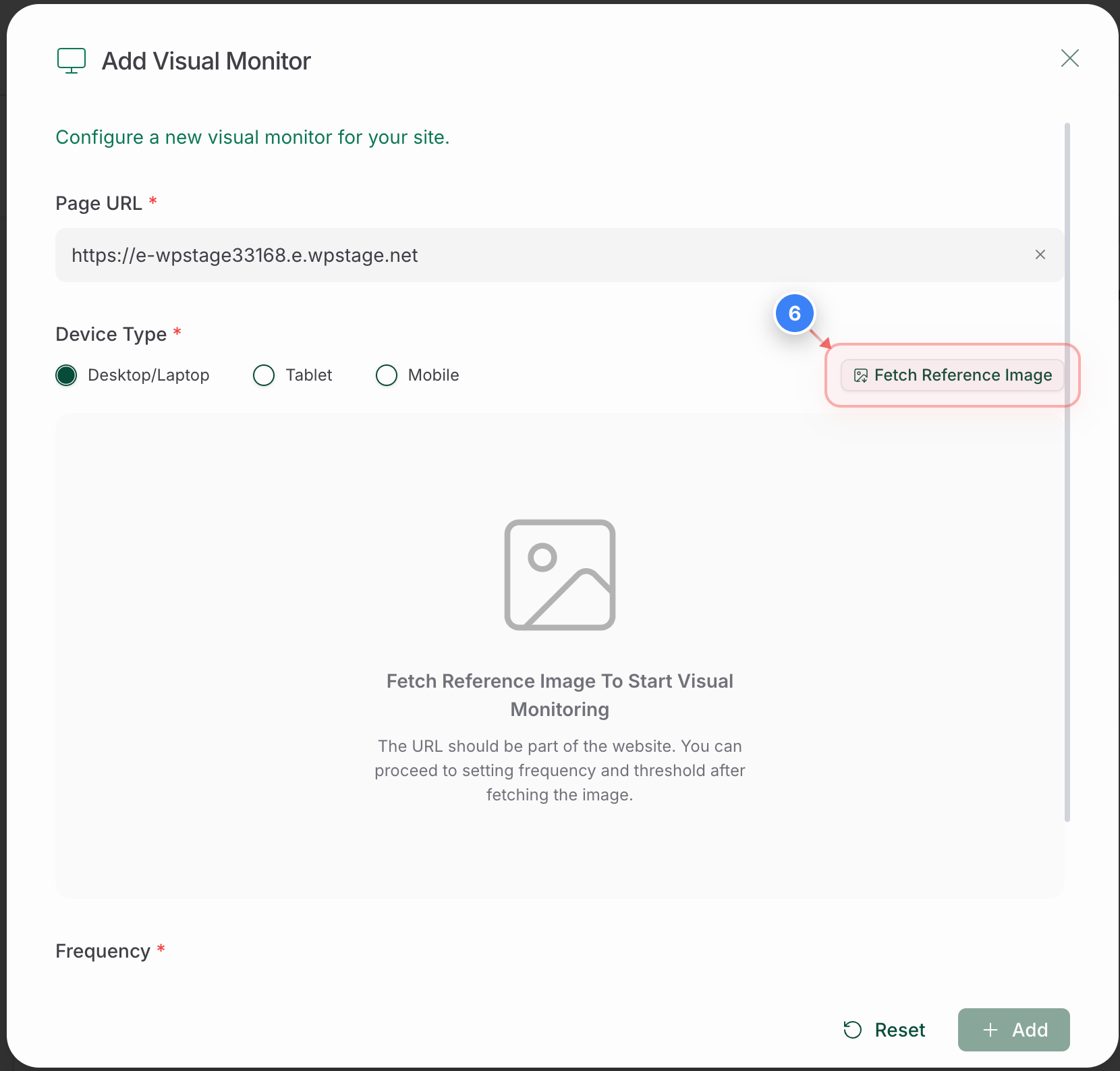
Step 6 of 11
Fetch Reference Image
Click Fetch Reference Image to capture the page as the reference image for visual comparisons

Step 6 screenshot
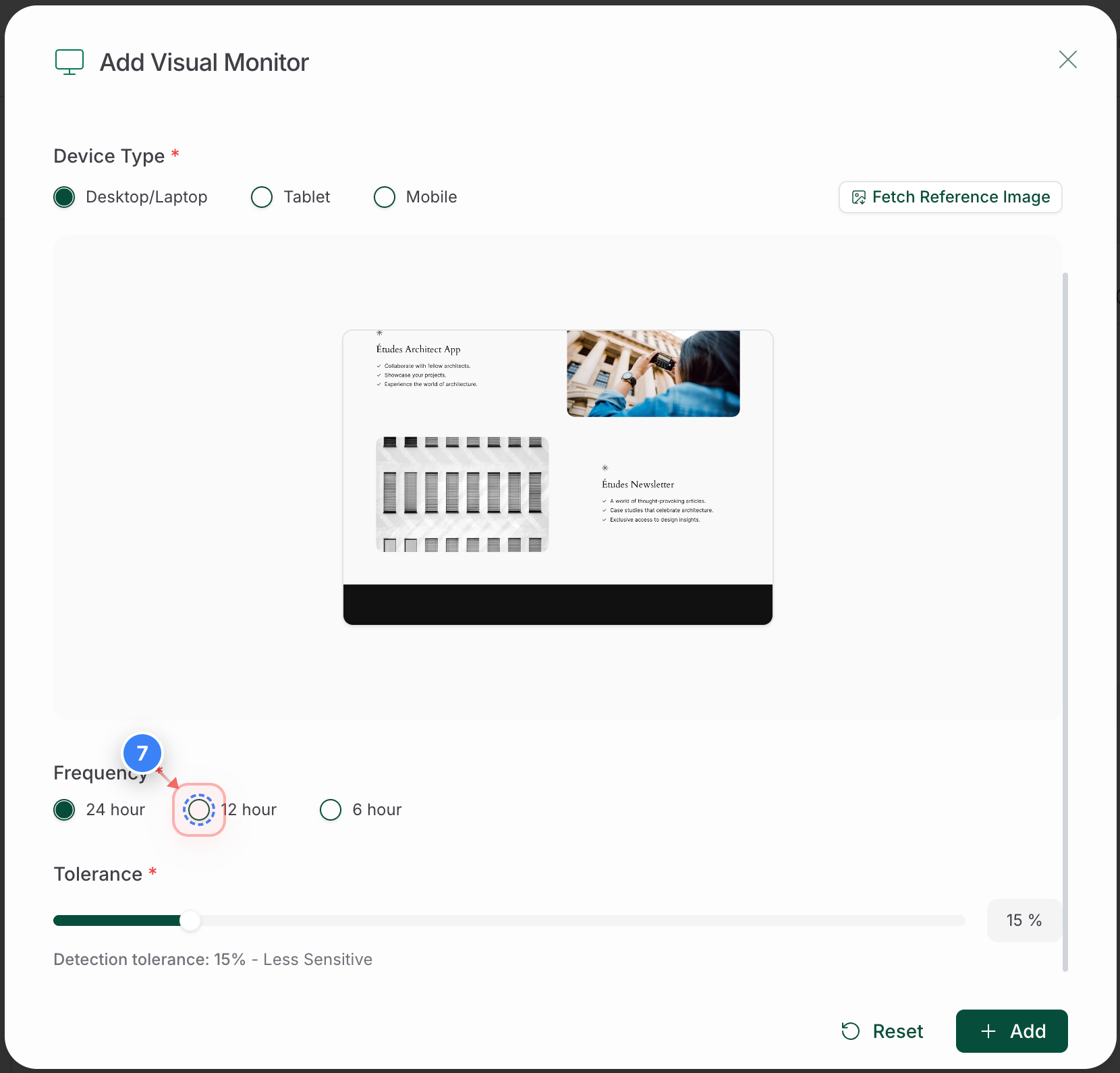
Step 7 of 11
Set Monitoring Frequency
Click the monitoring frequency field to set how often the selected page should be checked

Step 7 screenshot
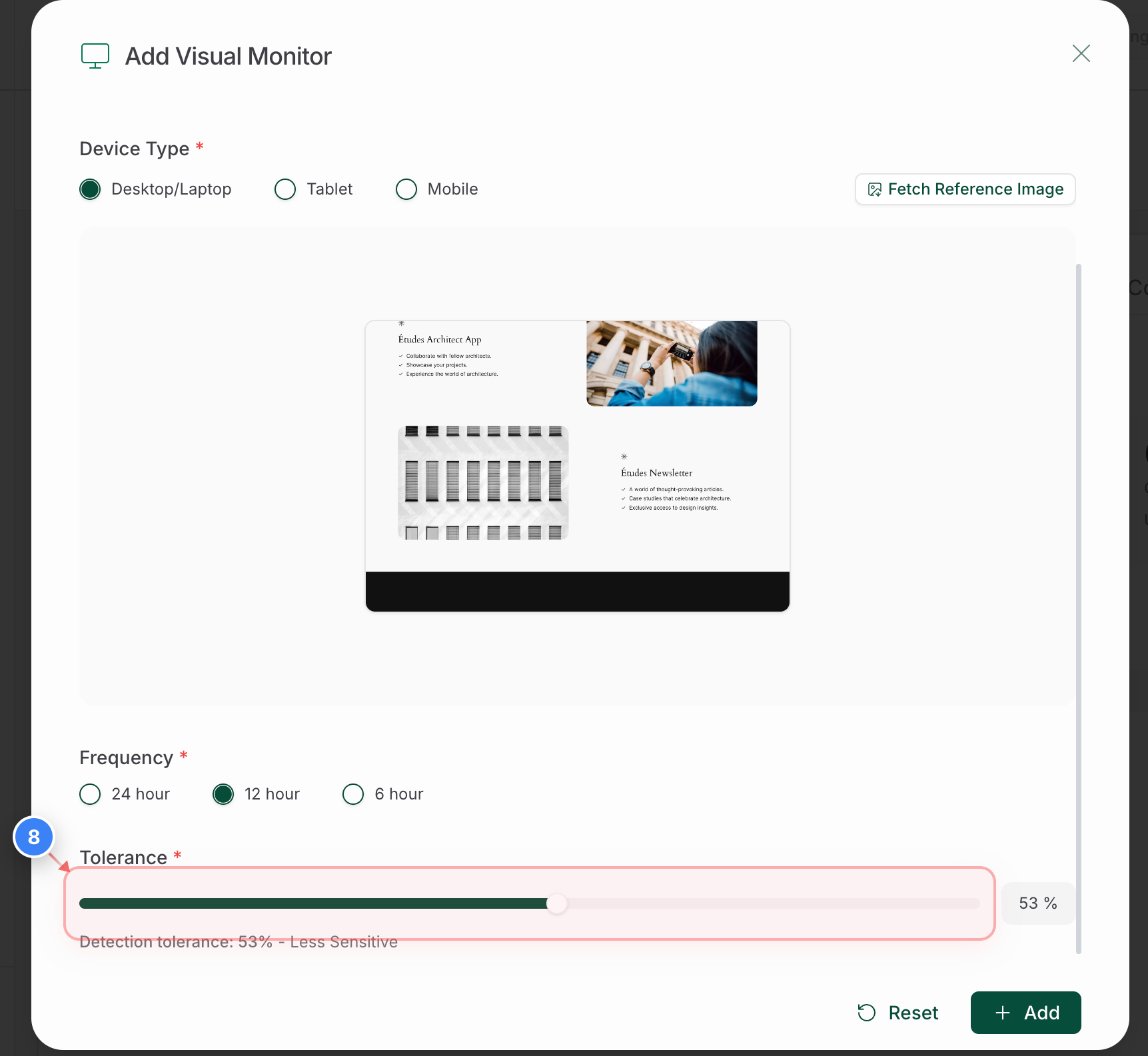
Step 8 of 11
Set Detection Tolerance
Adjust the Detection tolerance percentage to control how sensitive the monitor is to visual changes
Note: A higher tolerance makes the monitor less sensitive to visual differences.
Step 8 screenshot
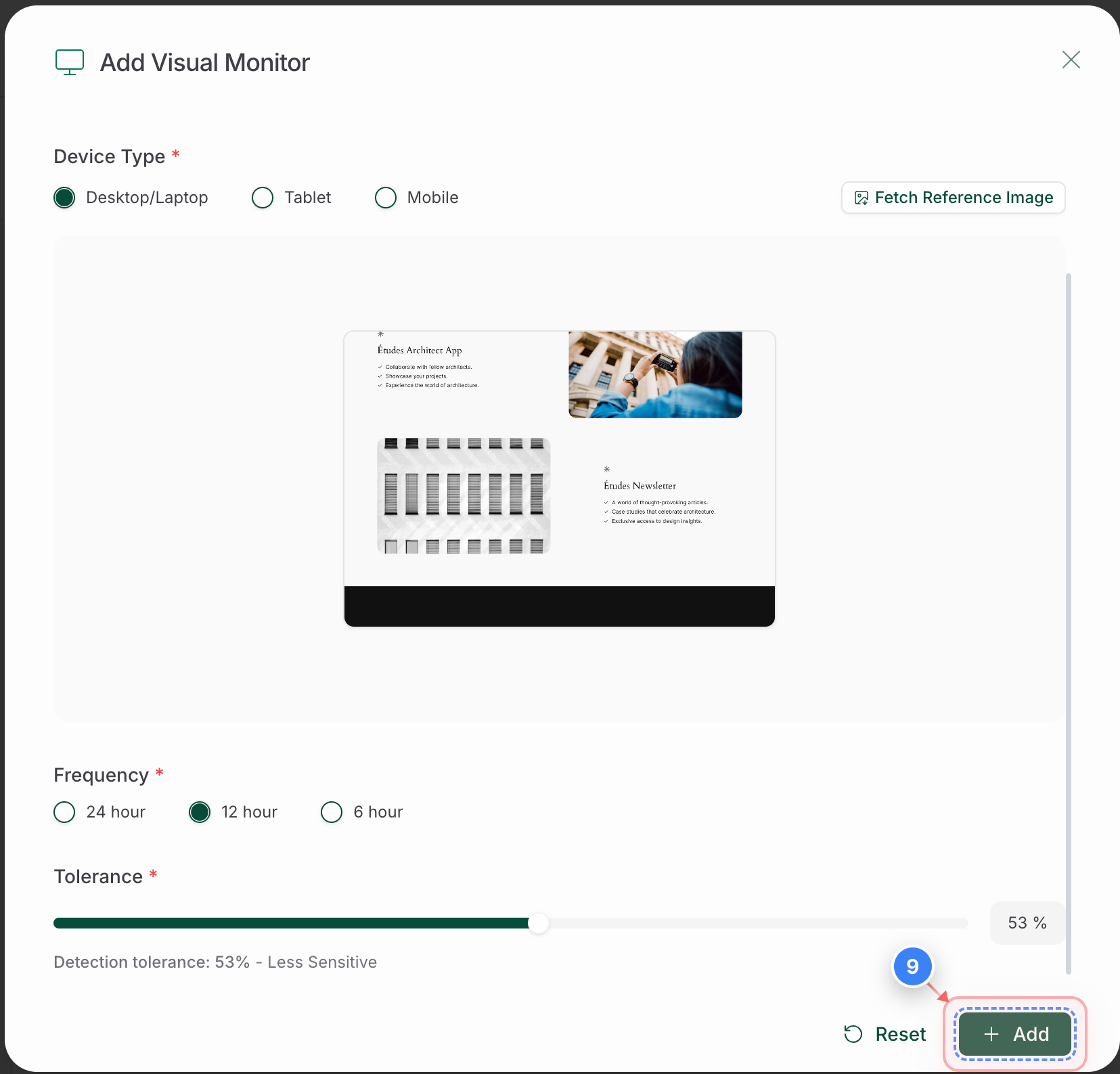
Step 9 of 11
Add the Monitor
Click Add to save the visual monitor with your selected settings

Step 9 screenshot
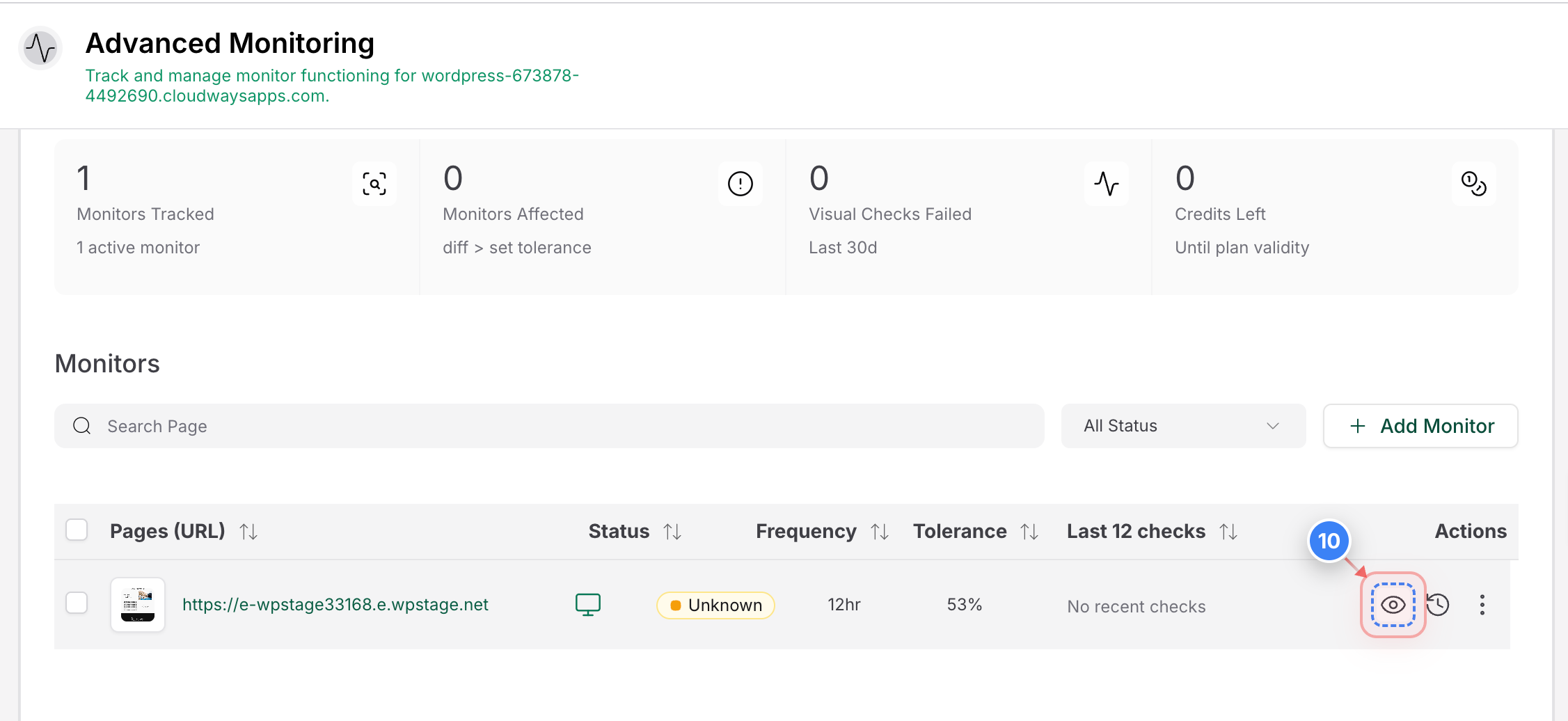
Step 10 of 11
View Monitor Details
Click the view option for the monitored page to open its visual comparison details

Step 10 screenshot
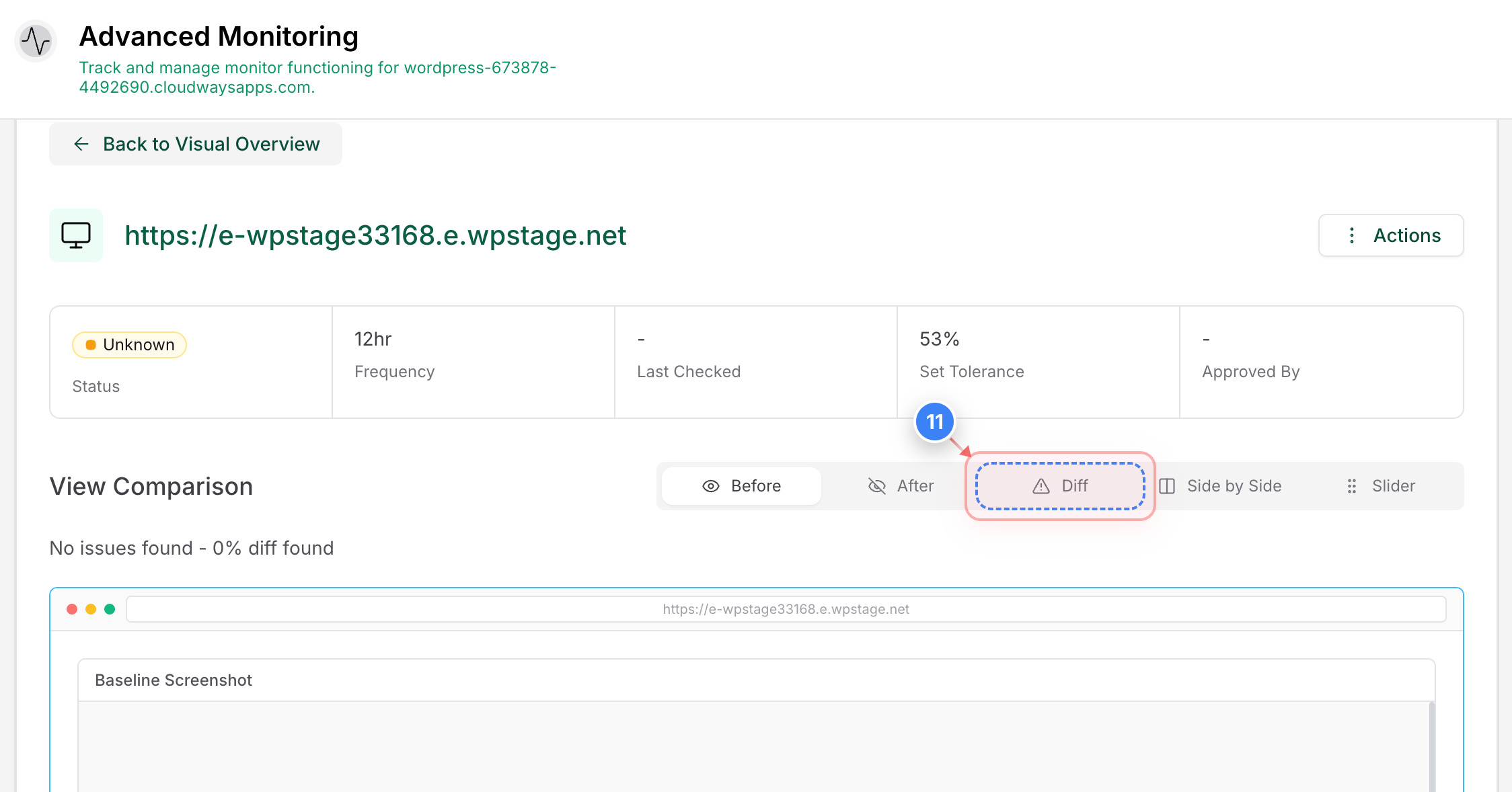
Step 11 of 11
Review Visual Differences
Click Diff in the comparison area to review changes between the reference and current page images
Note: Use the Before, After, Diff, Side by Side, or Slider views to compare the page and identify visual changes.
Step 11 screenshot

Was this article helpful?

That’s Great!

Thank you for your feedback

Sorry! We couldn't be helpful

Thank you for your feedback

Let us know how can we improve this article!

Select at least one of the reasons

Feedback sent

We appreciate your effort and will try to fix the article