How Do I remove a Website from My Account?

Created by Kousik M, Modified on Mon, 15 Dec at 6:02 PM by Kousik M

Step 1 of 4
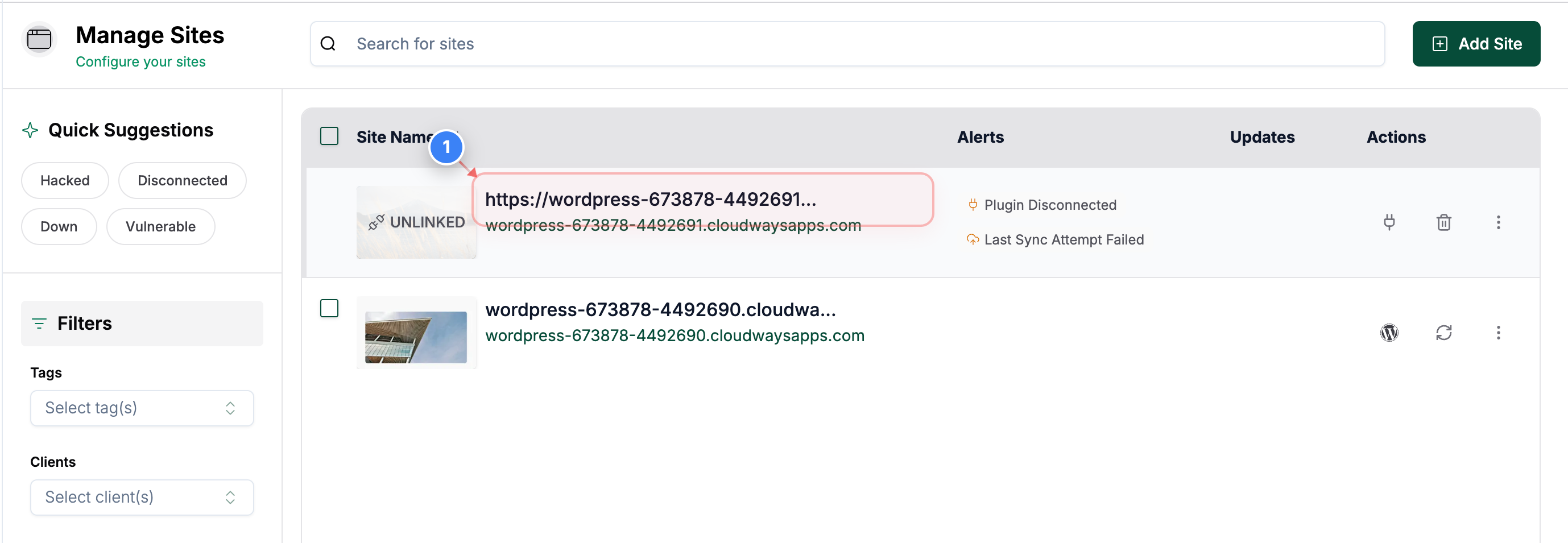
Open the site details page
Click on your site name on the Sites Listing page to open site management options.
Note: This opens the detailed view where you can manage settings and actions for the selected site.
Step 1 screenshot
Step 2 of 4
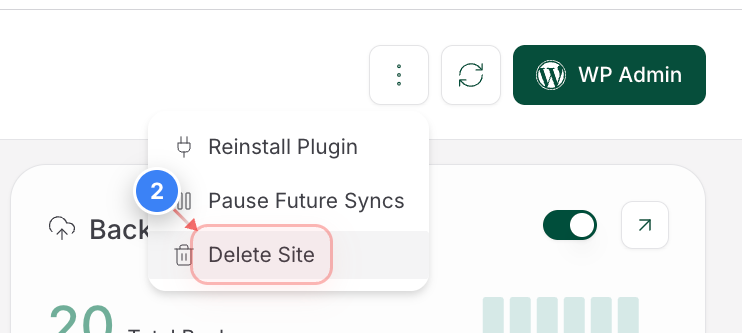
Start site deletion
Click the "Delete Site" button in the top-right area of the site details page to begin removing the site from your account.
Note: Deleting a site removes it from your dashboard but does not affect your actual hosting account.
Step 2 screenshot
Step 3 of 4
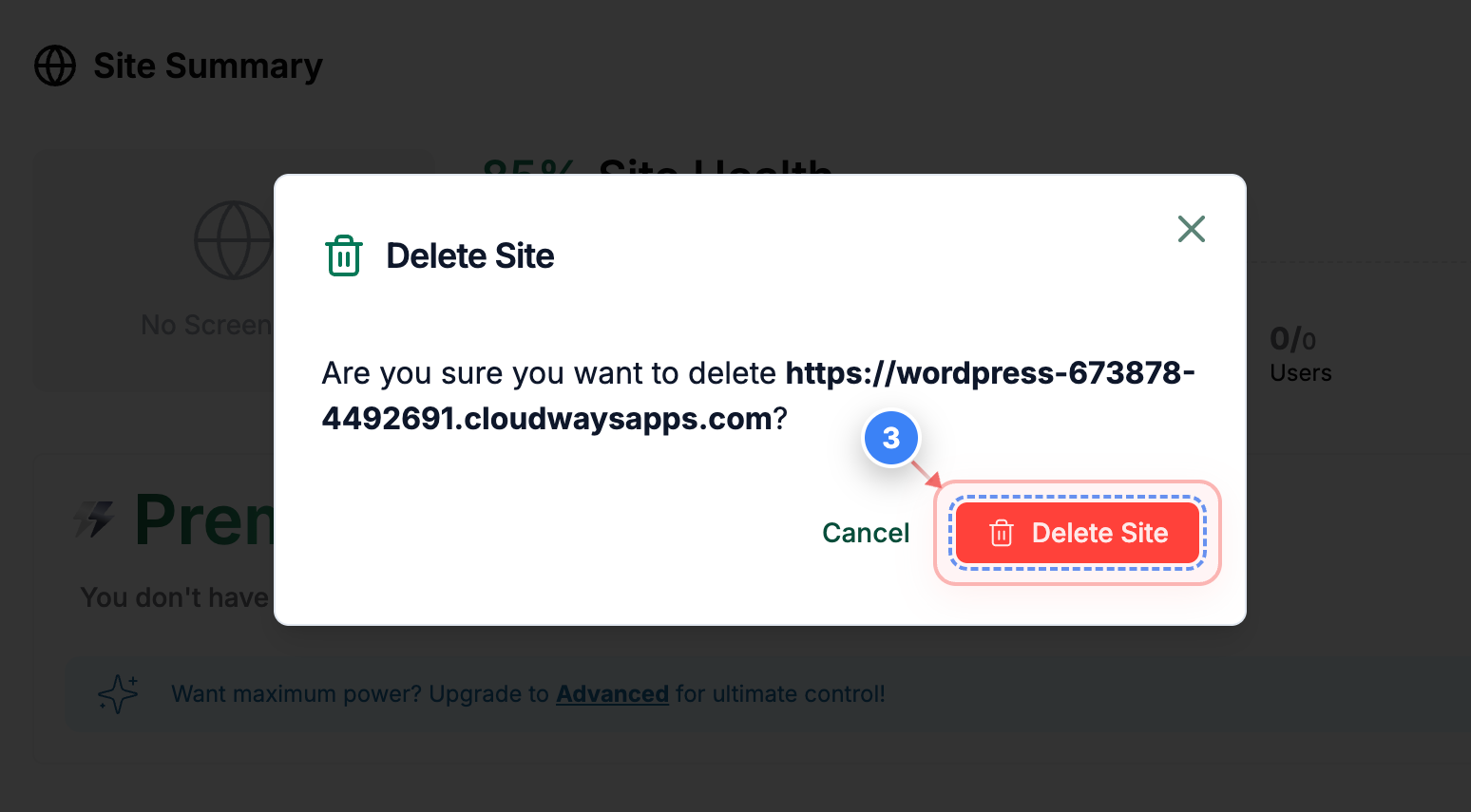
Confirm deletion
Click the Delete Site button in the confirmation pop-up at the center of the screen to confirm site removal.
Note: This action cannot be undone, so ensure the correct site URL is shown before confirming.
Step 3 screenshot
Step 4 of 4
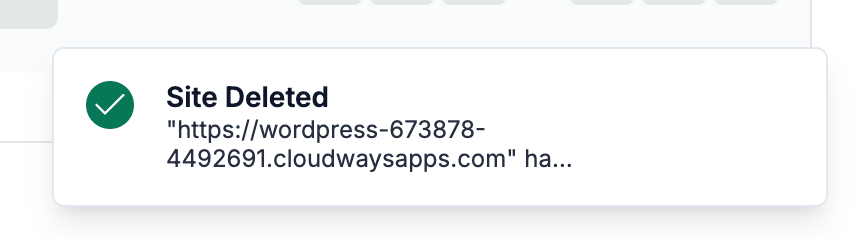
Verify site removal
On the Sites page, a success message indicates the site was removed.
Note: If the site still appears, refresh the page or check for any error notifications before retrying the deletion.
Step 4 screenshot


Otherwise, you can also delete any sites from the Sites Listing page.


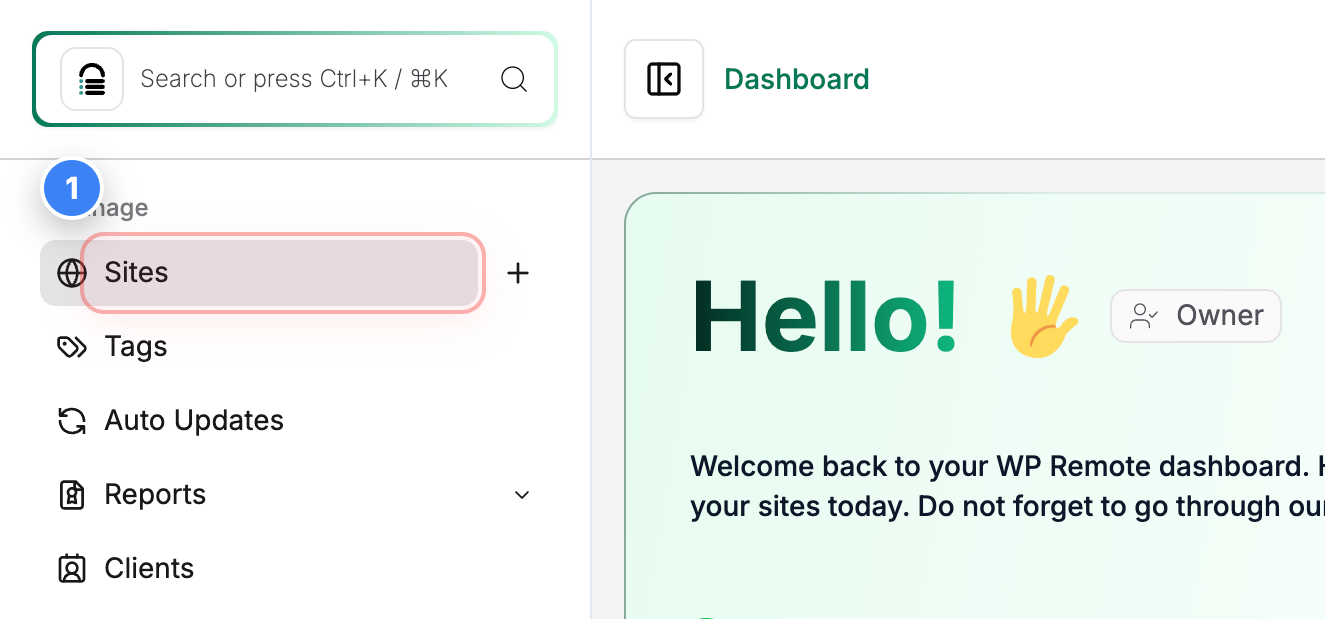
Step 1 of 4
Open sites list
Click on Sites in the top-left sidebar to open the list of all sites present in your account.


Step 1 screenshot
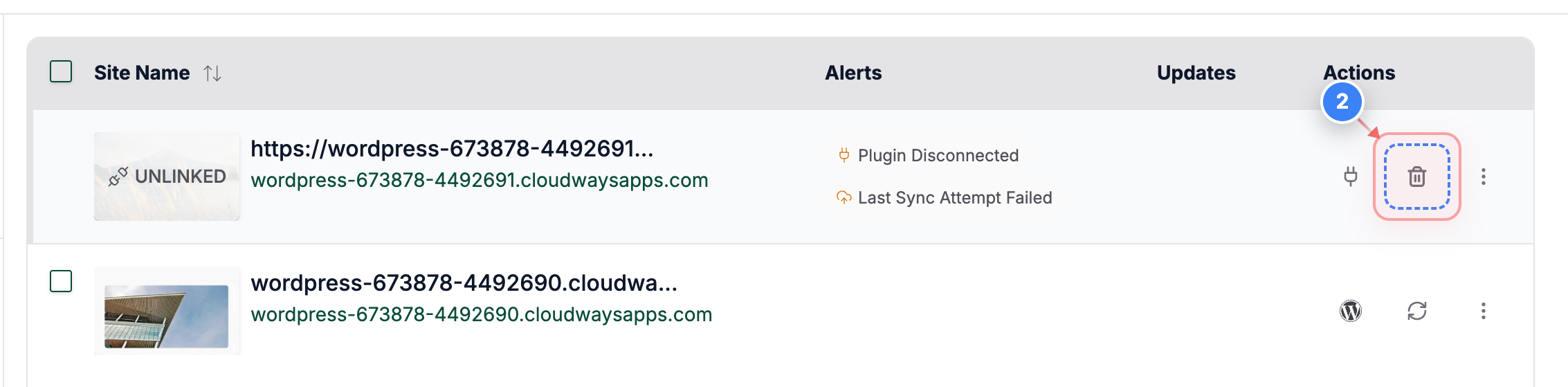
Step 2 of 4
Delete Site
Click the "Delete" button on the right side of the site row to delete that specific site.
Note: Each site row has its own action controls, so make sure you select the correct site before proceeding.
Step 2 screenshot
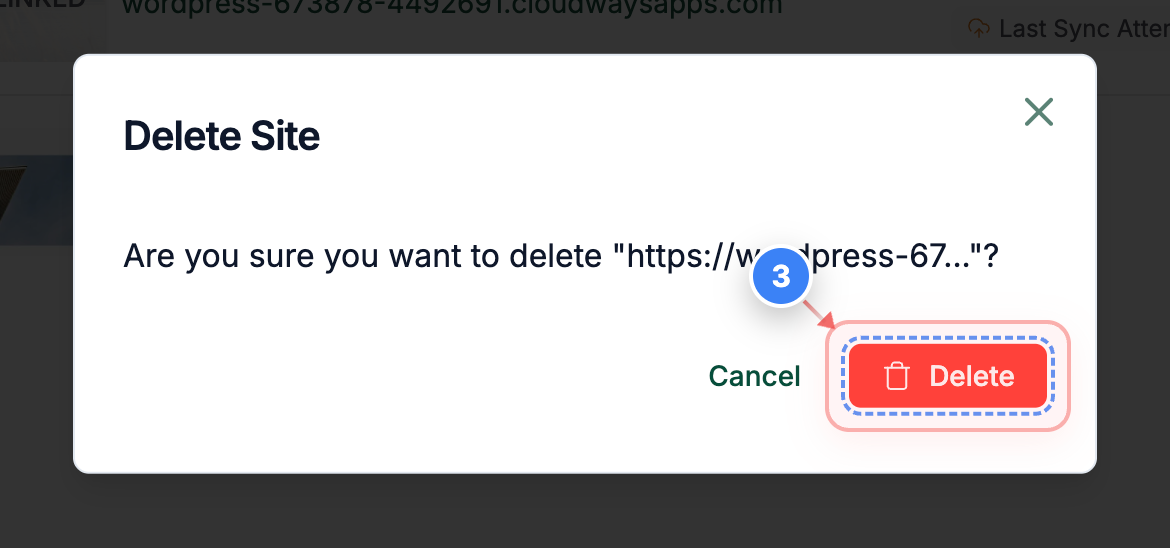
Step 3 of 4
Confirm site deletion
Click the Delete button in the pop-up at the center of the screen to permanently remove the selected site.


Step 3 screenshot
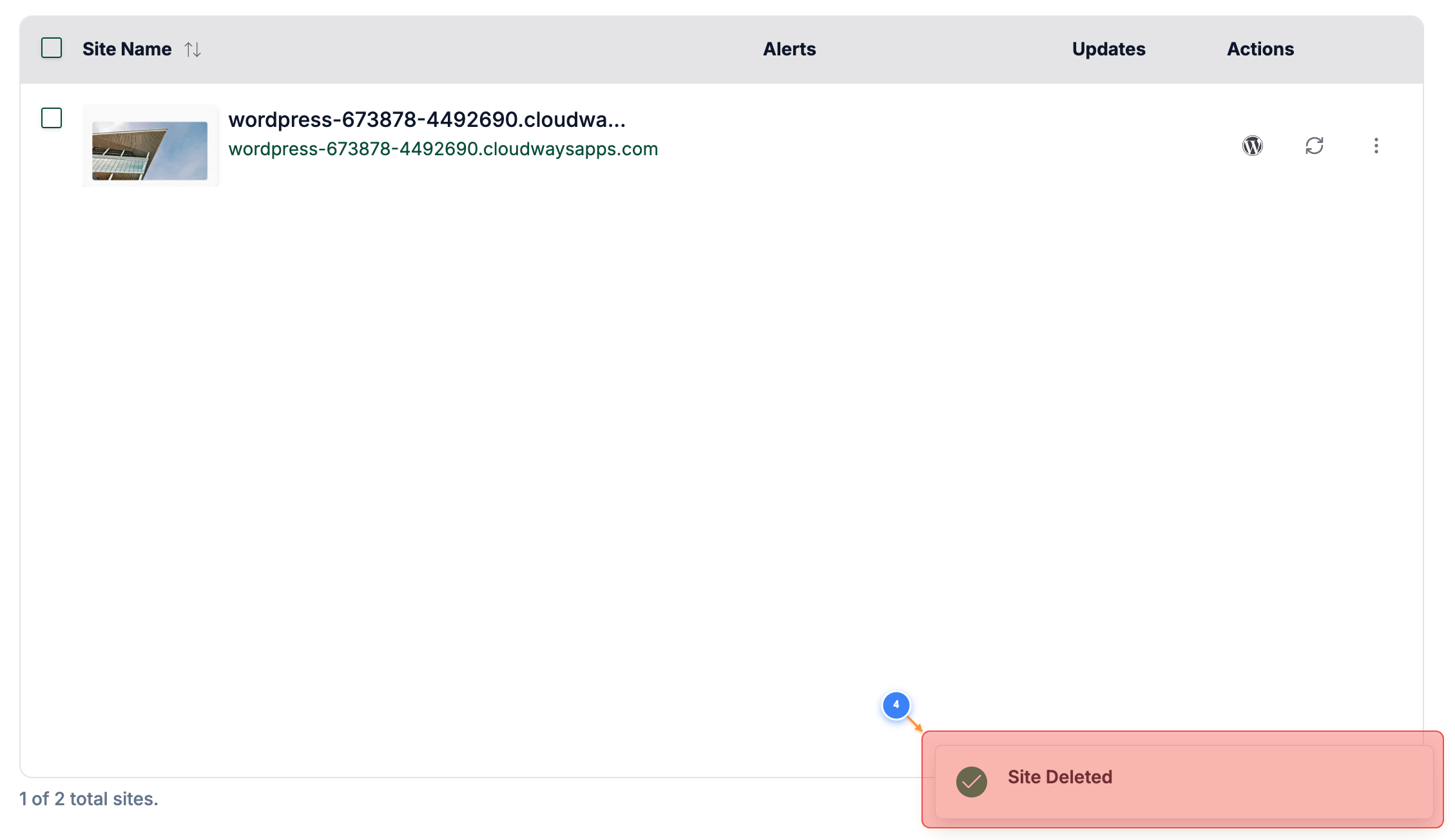
Step 4 of 4
Verify deletion status
A success notification at the bottom of the page indicates the site was deleted.
Note: If the site still appears, refresh the page or check for any error notifications before retrying.
Step 4 screenshot

Was this article helpful?

That’s Great!

Thank you for your feedback

Sorry! We couldn't be helpful

Thank you for your feedback

Let us know how can we improve this article!

Select at least one of the reasons

Feedback sent

We appreciate your effort and will try to fix the article