Firewall Blocks on a Staging Site Not Connected to the Firewall

Created by Sai Sanjay G, Modified on Tue, 30 Jun at 9:51 PM by Sai Sanjay G

Step 1 of 5
Identify the Cause
This false positive usually occurs when a staging website is no longer connected to our systems, but its wp-config.php file still references the MalCare Firewall (WAF) file from the live website.

Because the staging site attempts to load the firewall from another site's directory, our system detects a directory mismatch and blocks the request as a security precaution.
Step 2 of 5
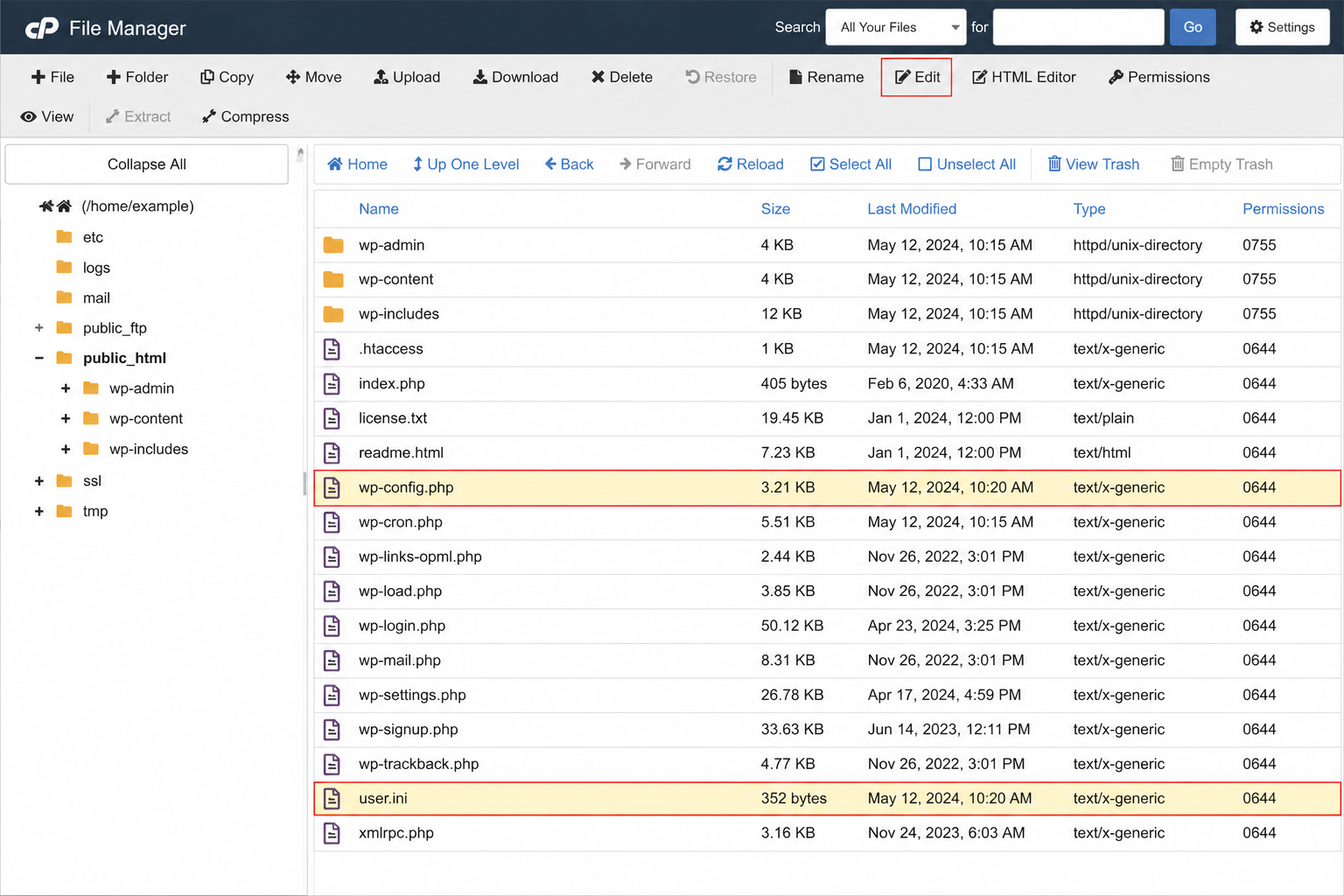
Review the wp-config.php and user.ini files
Access the staging site's files using your hosting File Manager or an FTP client and open the wp-config.php and user.ini files located in the WordPress root directory.


Step 3 of 5
Remove the Firewall Include
Locate the line that includes the MalCare Firewall file and remove it.


In the WP-config.php file, the line will be ->

@include '/path/to/your/site/malcare-waf.php';


In the user.ini file, the line will be ->

auto_prepend_file = "/path/to/your/site/malcare-waf.php"
Note: The file path varies depending on your hosting environment. Remove the line that references malcare-waf.php, regardless of the exact directory path.
Step 4 of 5
Remove Unused MalCare Files
Since the staging site is no longer using the MalCare Firewall, you can safely delete the following items from the staging website:
malcare-waf.php 
wp-content/mc_data
Step 5 of 5
Verify the Issue is Resolved
Save the changes to wp-config.php and remove the unused files. Once completed, the staging site will no longer attempt to load the live site's firewall, and the false positive blocks should stop occurring.
Expected Result: The staging site operates independently without referencing the live site's firewall, eliminating the directory mismatch that caused the false positive.

Was this article helpful?

That’s Great!

Thank you for your feedback

Sorry! We couldn't be helpful

Thank you for your feedback

Let us know how can we improve this article!

Select at least one of the reasons

Feedback sent

We appreciate your effort and will try to fix the article