How Do I Log In to the Wp-Admin of My Staging Site?

Created by Sachin B, Modified on Fri, 12 Dec at 4:17 PM by Sachin B

Step 1 of 3
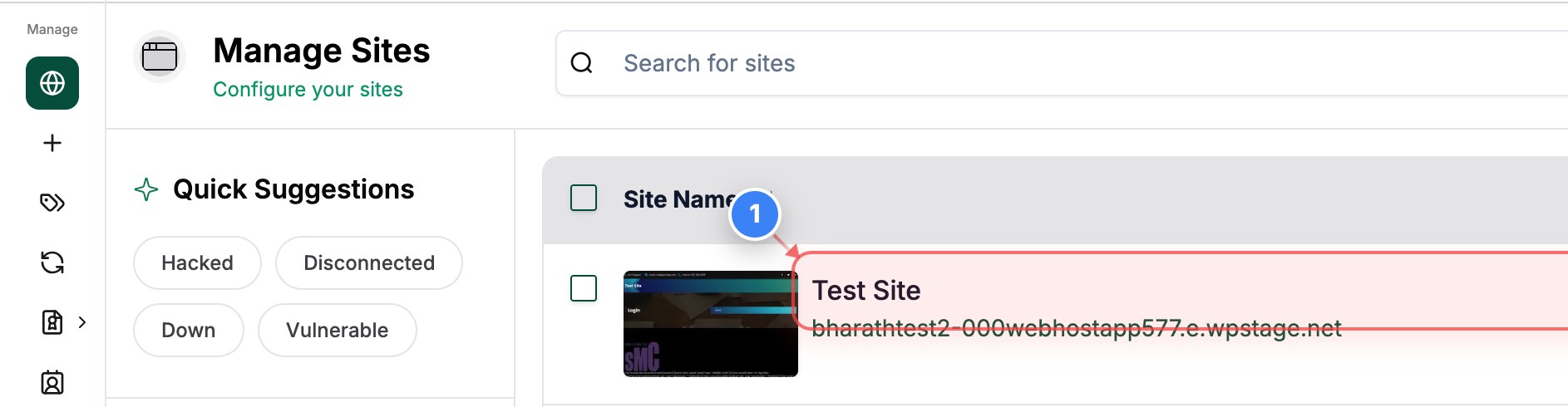
Open Your Site Dashboard
Click on your site in the Sites list to open its management dashboard.
Note: This opens the main page where you can view details and available actions for the selected site.
Step 1 screenshot
Step 2 of 3
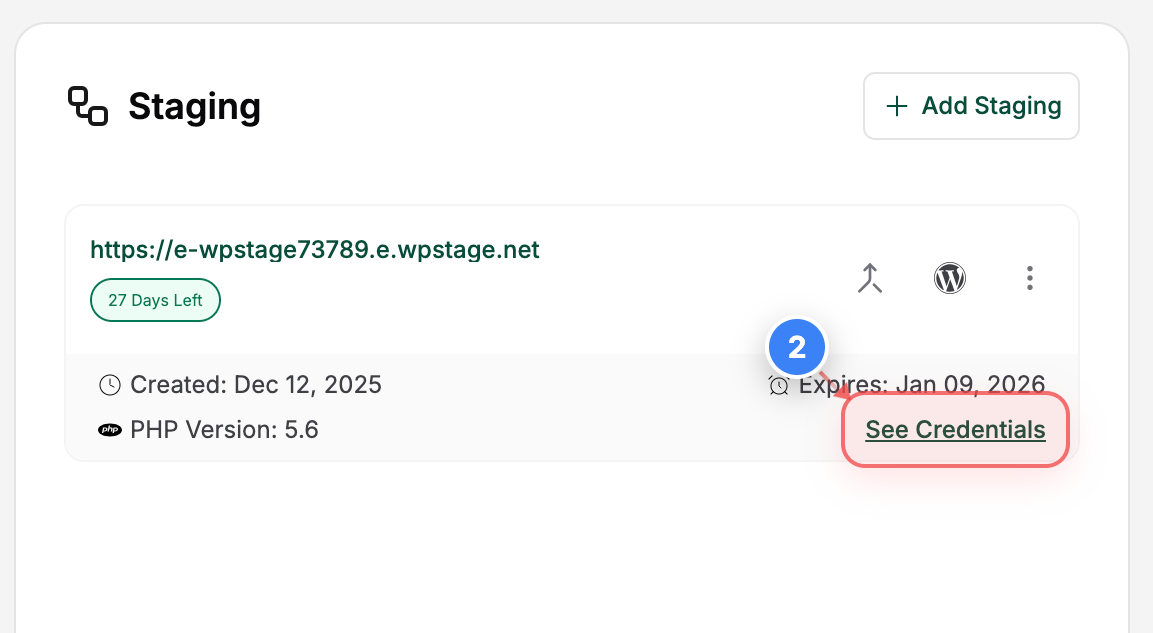
Access Staging site Options
Click the "See Credentials" button in the Staging area to reveal the connection and access details for your Staging site.
Note: This section includes key information such as creation date, expiry date, and login credentials, etc.
Step 2 screenshot
Step 3 of 3
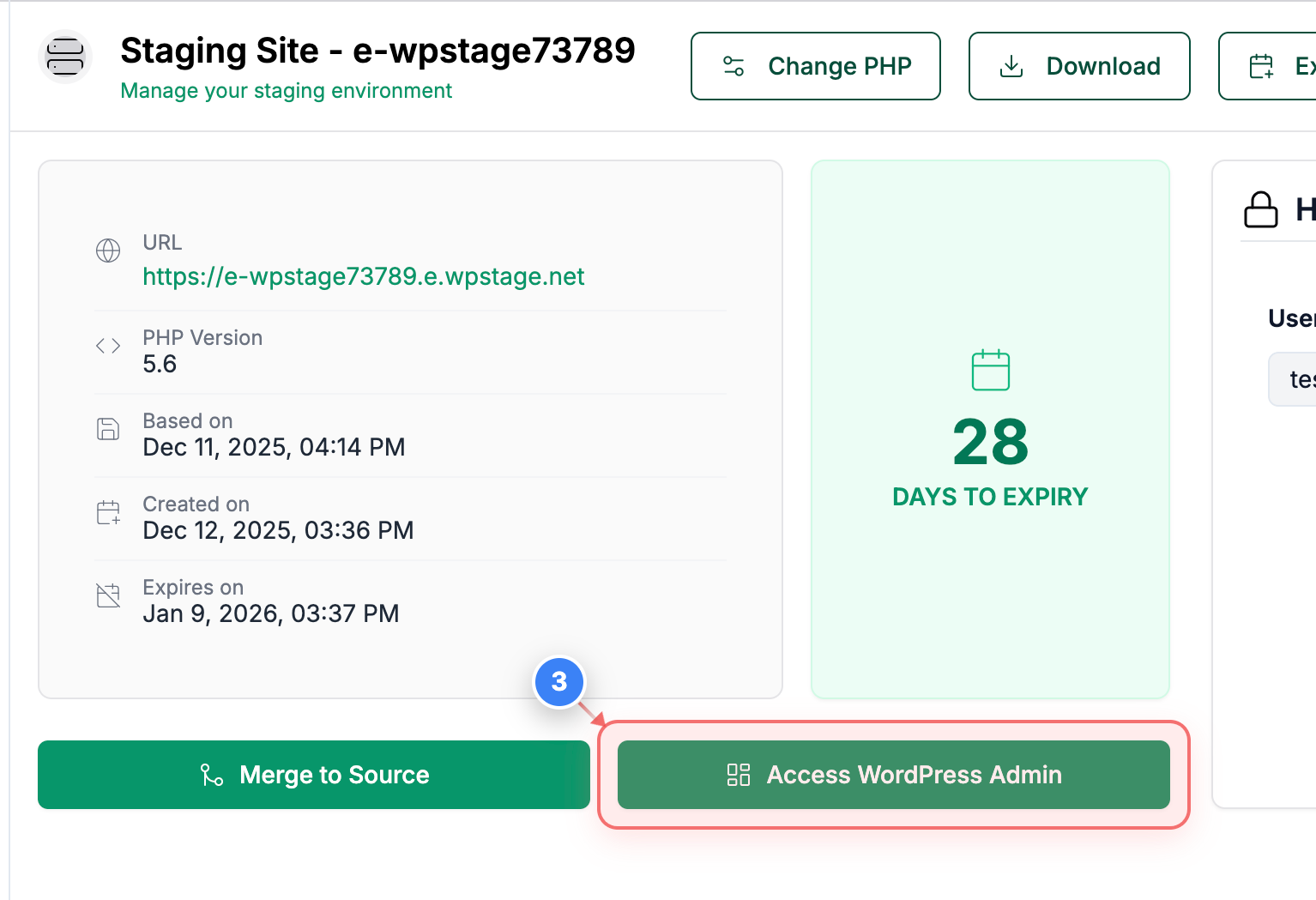
Access WordPress Admin
Click the WordPress Admin access button in the staging site details area to open the WordPress dashboard for your staging environment.
Note: This provides direct access to the WordPress admin panel for managing your staging site.
Step 3 screenshot

Was this article helpful?

That’s Great!

Thank you for your feedback

Sorry! We couldn't be helpful

Thank you for your feedback

Let us know how can we improve this article!

Select at least one of the reasons

Feedback sent

We appreciate your effort and will try to fix the article