How Do I Share My Staging Site with Team Members or Clients?

Created by Sai Sanjay G, Modified on Tue, 16 Dec at 2:28 AM by Sai Sanjay G

Step 1 of 3
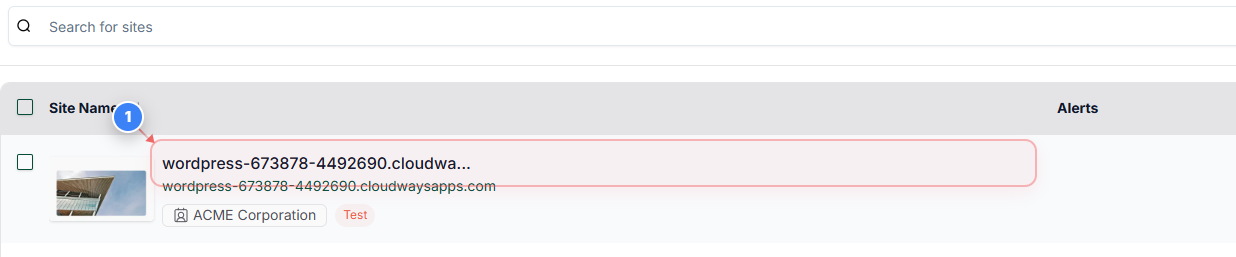
Open Site Management
Click on your site name in the Sites page to open management options for that specific website.
Note: If you manage multiple sites, verify the site URL associated with the name to ensure you are opening the correct one.
Step 1 screenshot
Step 2 of 3
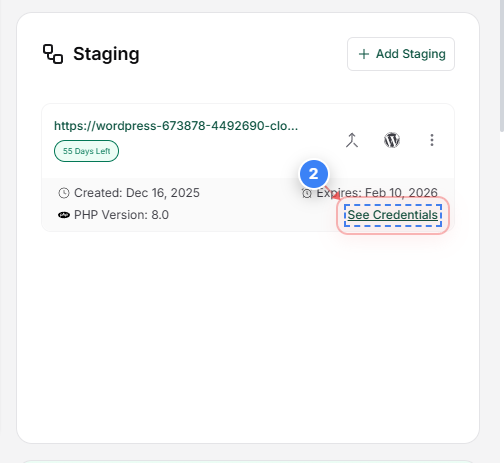
View Site Credentials
Click the "See Credentials" button on the right side of the site details area to access staging site information.
Note: This section is used to retrieve WordPress admin, SFTP, or database access details when troubleshooting or sharing access.
Step 2 screenshot
Step 3 of 3
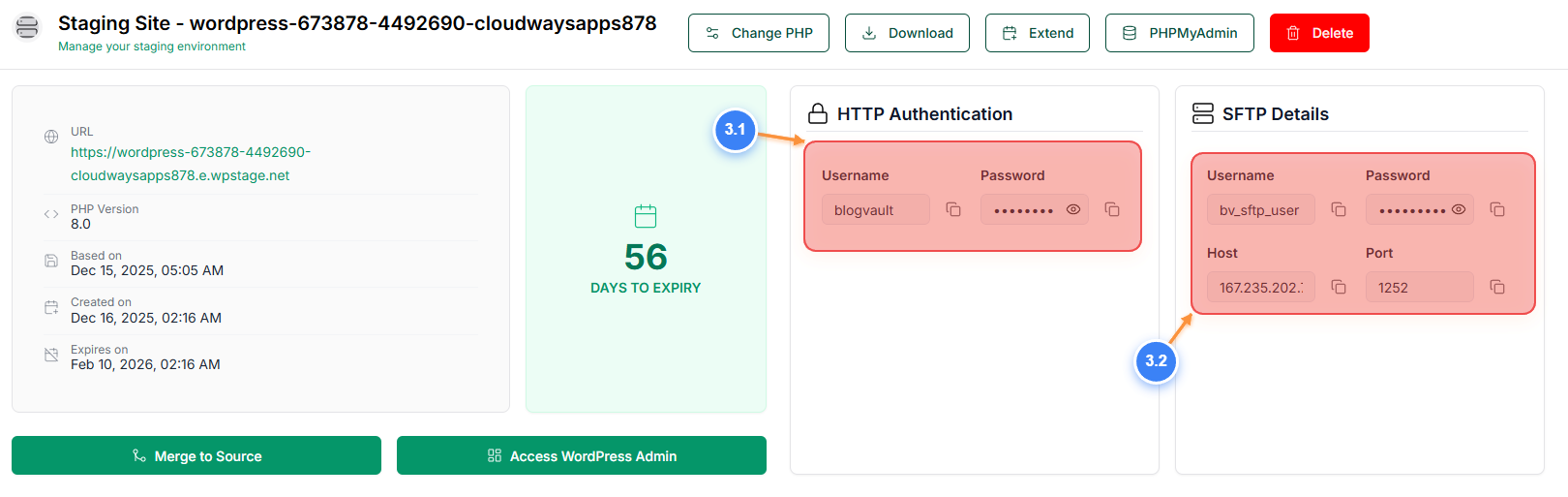
Review Staging Site Details
The Staging Site Details page provides an overview of your staging environment.

You can share the HTTP authentication details of your staging site (3.1) with your team members or clients to allow them to access the staging site.

The SFTP credentials of the staging site (3.2) can be used to access the staging site files, including the PHP access and error logs.
Note: Use the "Access WordPress Admin" button to log in to the WP-admin dashboard and select the "PHPMyAdmin" button to manage the staging site's database
Step 3 screenshot

Was this article helpful?

That’s Great!

Thank you for your feedback

Sorry! We couldn't be helpful

Thank you for your feedback

Let us know how can we improve this article!

Select at least one of the reasons

Feedback sent

We appreciate your effort and will try to fix the article