How Can I Access the Cleanup Report Once the Cleanup UI Is Closed?

Created by Kousik M, Modified on Wed, 10 Dec at 1:37 AM by Kousik M

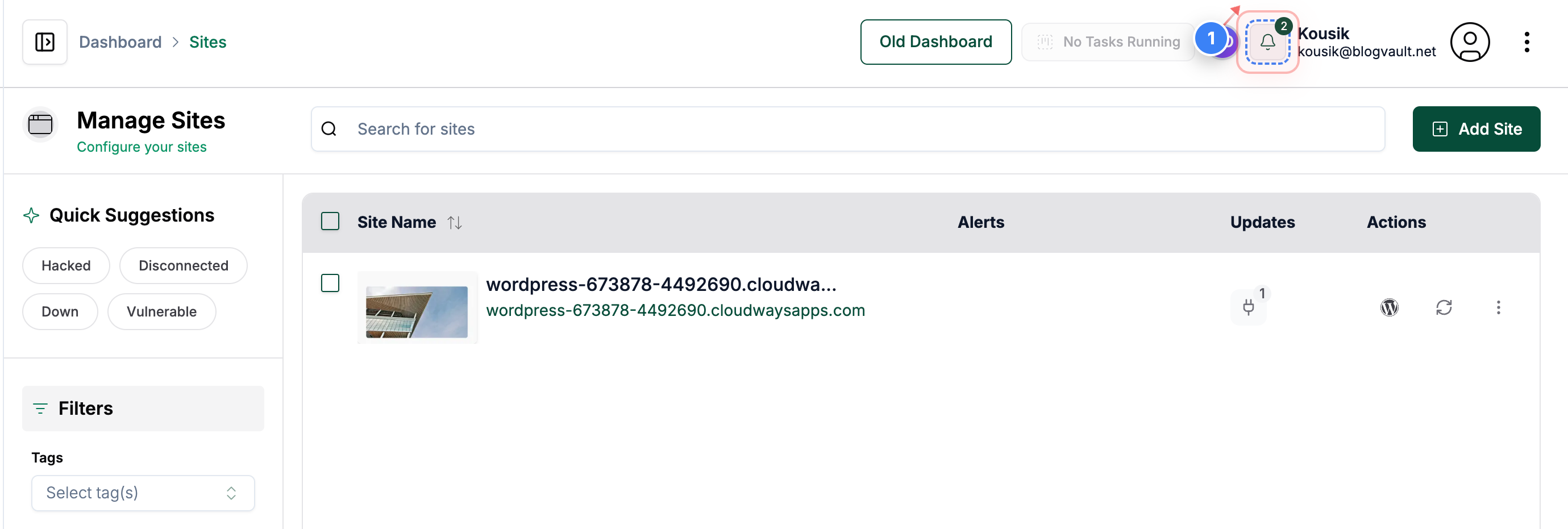
Step 1 of 4
Open Notifications Panel
Click the notifications button in the top-right corner of the dashboard to view recent alerts 


Step 1 screenshot
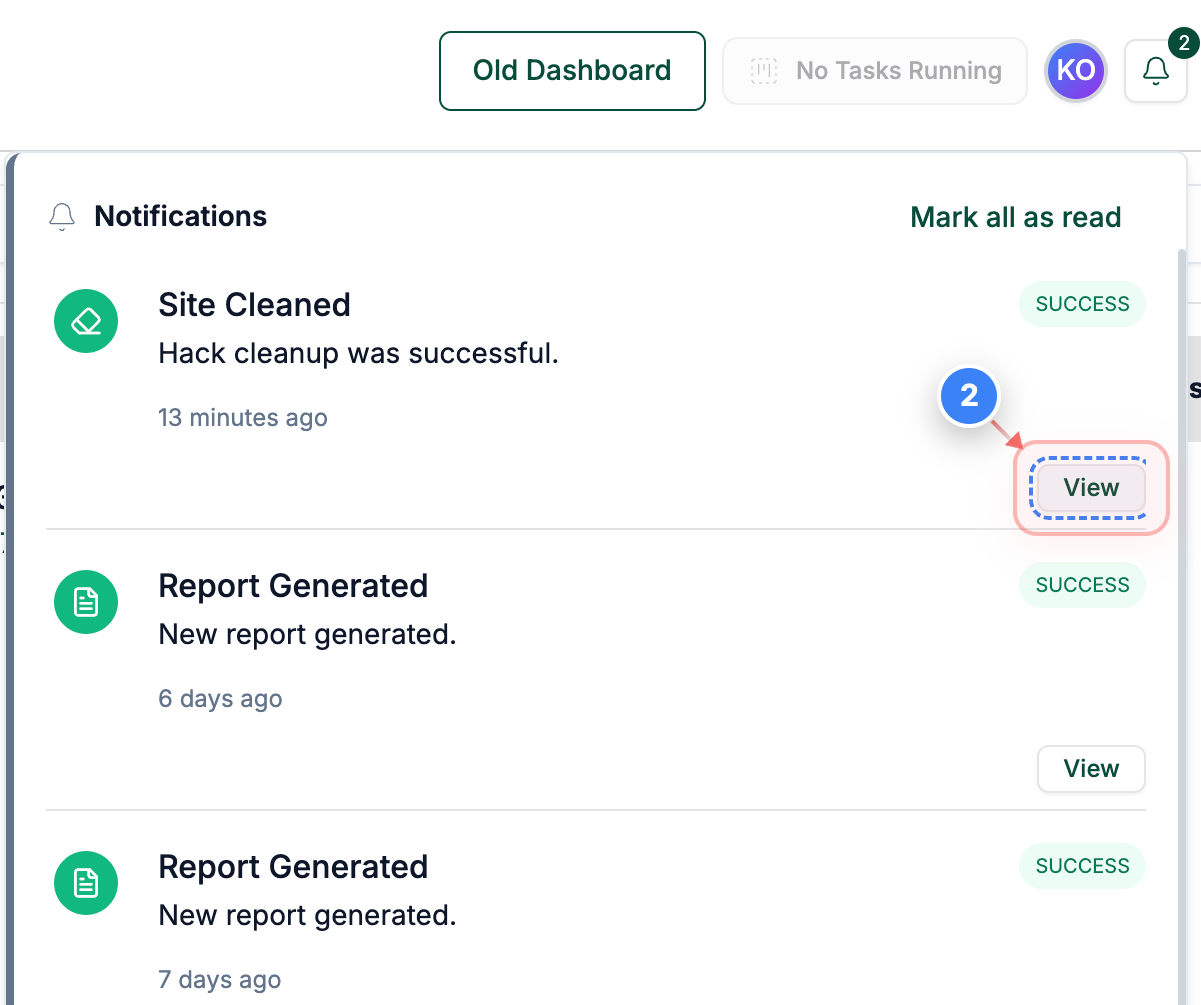
Step 2 of 4
Open Cleanup Details
Click the "View" link on the right side of the notification to open the detailed cleanup task for your site.
Note: This takes you directly to the specific cleanup record associated with the notification.
Step 2 screenshot
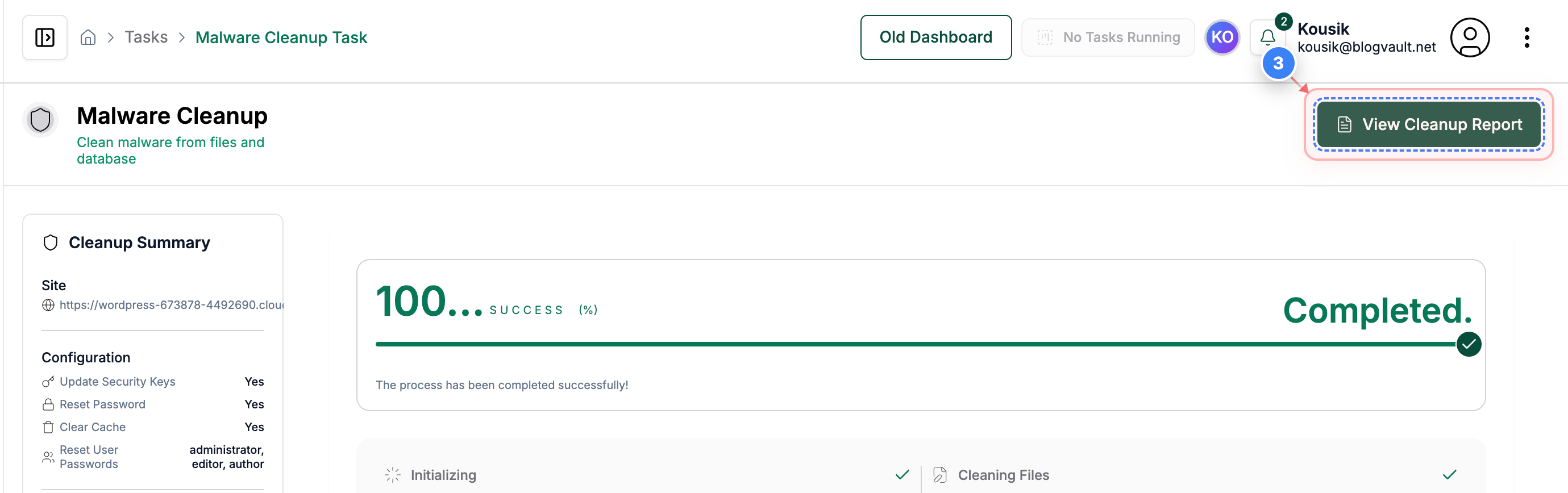
Step 3 of 4
View Cleanup Report
Click the "View Cleanup Report" button in the top-right area of the task page to open the full list of malware cleanup actions.


Step 3 screenshot
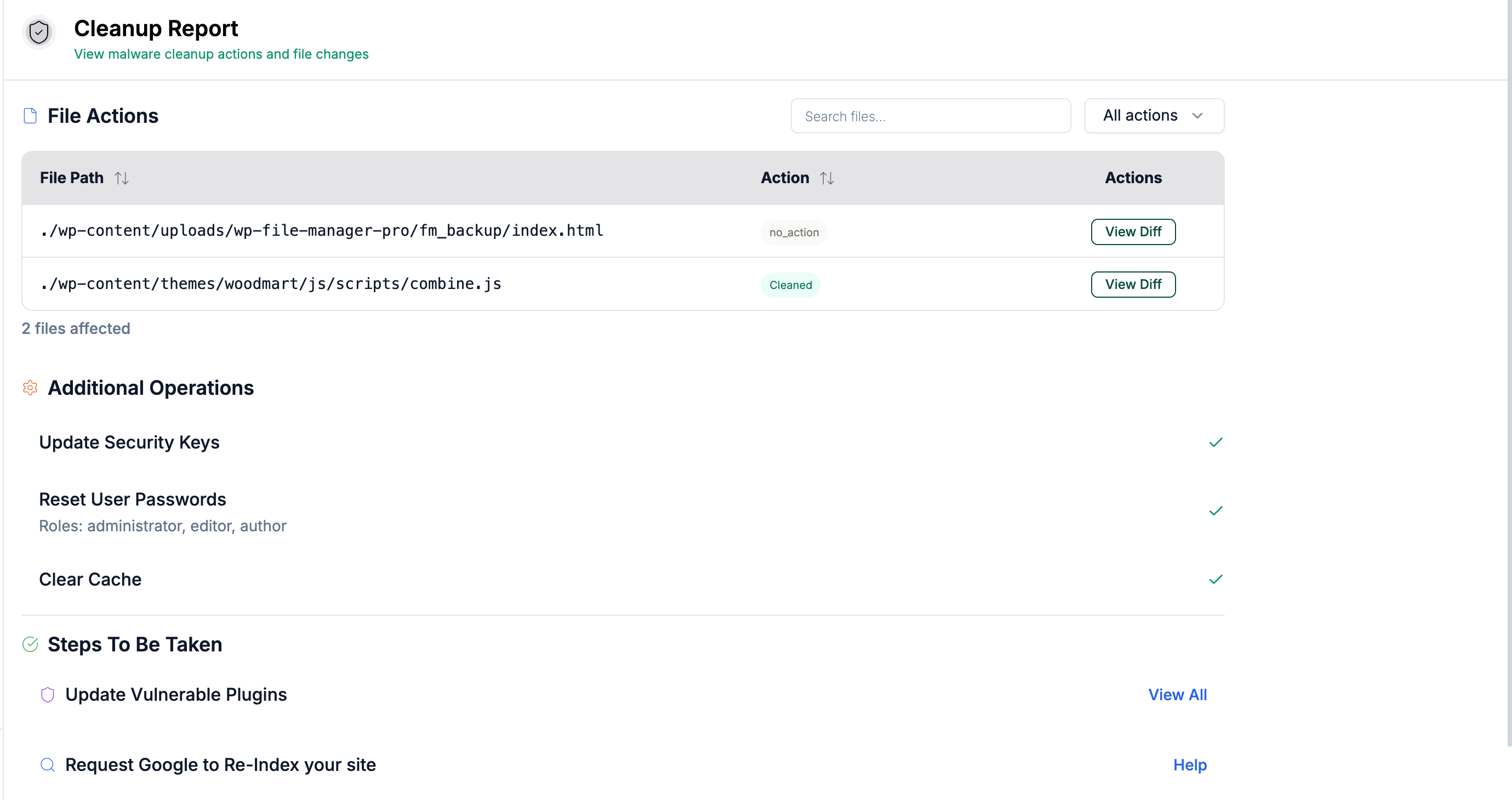
Step 4 of 4
Review Cleanup Results
On the Cleanup Report page, review the table showing all affected files, the actions performed on them, and any recommended follow-up steps such as resetting passwords or updating plugins.
Note: Use the "View Diff" option beside each file to see exactly what was changed during cleanup. 
Step 4 screenshot

Was this article helpful?

That’s Great!

Thank you for your feedback

Sorry! We couldn't be helpful

Thank you for your feedback

Let us know how can we improve this article!

Select at least one of the reasons

Feedback sent

We appreciate your effort and will try to fix the article