Currently, we do not have the option to modify the frequency for uptime monitoring. The default settings for monitoring frequency will apply as per the subscription plan selected.
Please note that the monitoring frequency for each subscription plan is different.
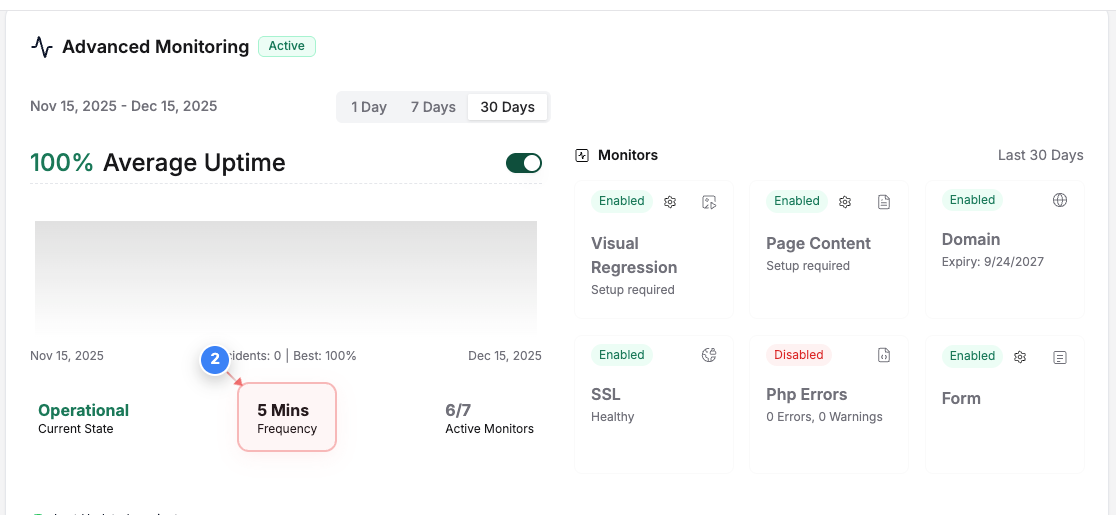
For instance, for the free subscription plan, the monitoring will be carried out every hour. For the premium plans, the frequency varies from 15 minutes to 5 minute depending on the plan.
You can find the requency of the Uptime Monioring enabled on your website by following the below steps -

Was this article helpful?
That’s Great!
Thank you for your feedback
Sorry! We couldn't be helpful
Thank you for your feedback
Feedback sent
We appreciate your effort and will try to fix the article